7 Farm Management System Mistakes to Avoid in 2026 for Actually Better Results
Avoid these 7 farm management system mistakes to improve efficiency in 2026.
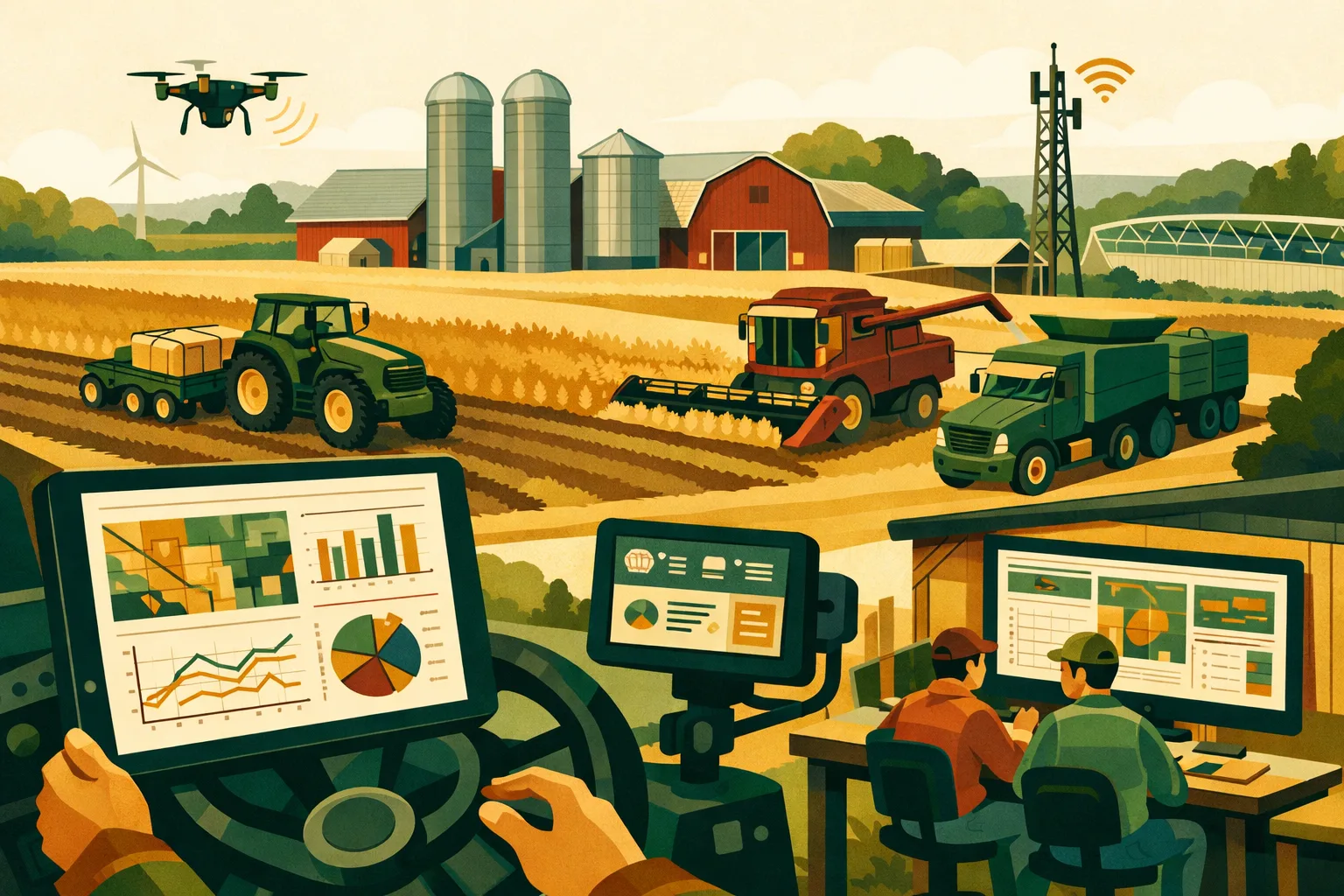
A farm management system should reduce friction, not create another office chore after dark. For commercial farms managing crops, livestock, equipment, labor, inputs, compliance records, and finances across dozens or thousands of acres, the right system can become the operational backbone of the business. The wrong setup—or the right software implemented poorly—can leave you with duplicate records, frustrated staff, unreliable reports, and decisions still being made from memory.
Farm software has matured quickly. In 2026, many platforms offer field records, inventory, work orders, financial tracking, weather integrations, mobile apps, agronomy notes, machinery logs, and reporting dashboards. But buying software is not the same as improving operations. The gains come from disciplined setup, clean data, clear responsibilities, and workflows that match how your farm actually runs.
Below are seven common farm management system mistakes commercial operators should avoid, along with practical fixes you can apply before, during, or after implementation.
Mistake 1: Choosing a Farm Management System Before Defining Operational Problems
Many farms start the search by comparing features. That usually leads to a long demo cycle, confusing sales calls, and a decision based on whichever system looks most impressive.
A better starting point is to define the operational problems you need the system to solve.
For a 500-acre grain farm, the priority may be input tracking, field activity records, and cost-per-acre visibility. For a 3,000-acre mixed operation, the priority might be crew coordination, equipment scheduling, inventory management, and financial reporting across enterprises. For a specialty crop operation, labor tracking, harvest records, spray compliance, and traceability may matter more than machinery logs.
If you do not define the problems first, you may buy a farm management system that has plenty of features but does not improve your daily decisions.
Common Symptoms
You may be making this mistake if:
- You are comparing software based mainly on feature lists.
- Different managers have different expectations for what the system should do.
- Nobody has documented the current pain points.
- The system is expected to “organize everything” without a clear rollout plan.
- Staff are unsure which records matter most.
What to Do Instead
Before evaluating systems, gather the core decision-makers: owner/operator, farm manager, office manager, agronomist, livestock manager, equipment manager, and anyone responsible for compliance or accounting.
Create a simple problem statement for each area of the farm.
Examples:
- “We do not know actual field-level production costs until months after harvest.”
- “Spray records are stored in multiple places and take too long to assemble.”
- “Inventory counts are unreliable, causing emergency input purchases.”
- “Work instructions are passed by text message and get lost.”
- “Equipment maintenance is reactive instead of scheduled.”
- “Labor hours are tracked manually and are difficult to assign by field or job.”
Then rank these problems by cost, risk, and frequency.
Cost and Time Estimate
For a 50–500 acre operation, expect to spend 3–5 hours defining operational requirements.
For a 500–5,000+ acre operation, expect 8–20 hours across multiple meetings and departments.
This upfront work can prevent a much more expensive mistake: implementing a system that does not fit your operation. Software subscriptions, staff training, data cleanup, and lost productivity can easily cost more than the annual subscription if the wrong system is selected.
Practical Selection Filter
When reviewing a farm management system, ask:
- Does this system directly solve our top 3 operational problems?
- Can field staff use it without returning to the office?
- Can office staff produce reports without rebuilding spreadsheets?
- Does it support our crop, livestock, or mixed-enterprise structure?
- Can we phase implementation without disrupting field operations?
- Can it integrate with accounting, machinery data, weather tools, or other systems we already use?
For more farm software planning resources, see the FarmsFlo software category.
Mistake 2: Treating Setup as an IT Project Instead of an Operations Project
A farm management system is not just software. It is a new way of running parts of the farm.
If setup is delegated entirely to one office person, consultant, or technology vendor, the system may be technically configured but operationally weak. Field names may be inconsistent. Equipment lists may be incomplete. Task categories may not match how crews work. Reports may not answer the questions managers ask every week.
The system must reflect the operating structure of the farm.
Why Operations Must Lead
The people who make daily decisions need to shape the system:
- Farm managers know how work is assigned.
- Operators know what data can realistically be captured from the cab.
- Applicators know what spray records must include.
- Office staff know what accounting and compliance reports require.
- Owners know which financial and production metrics matter.
A farm management system should connect these perspectives.
Setup Areas That Need Farm-Level Decisions
Most systems require configuration in several areas:
- Field names and boundaries
- Crop plans and rotations
- Equipment lists
- Operator and employee roles
- Input inventory categories
- Vendors and suppliers
- Work order types
- Field activity categories
- Compliance records
- Cost centers or enterprises
- Reporting permissions
- Mobile access settings
Poor setup here creates problems later. For example, if one field is listed as “North 80,” “N 80,” and “North Farm 80” in different records, reports will be unreliable. If machinery is entered inconsistently, maintenance and job-cost reports become messy. If labor categories are too broad, you will not know which enterprises are absorbing time.
Recommended Setup Process
Use a phased approach:
Phase 1: Structure
Set up:
- Farms, fields, blocks, or paddocks
- Enterprises or cost centers
- Users and roles
- Equipment
- Core input categories
Phase 2: Workflows
Configure:
- Planting records
- Spray records
- Fertilizer applications
- Irrigation events
- Harvest records
- Livestock movements or treatments, if applicable
- Maintenance work orders
- Labor tracking
Phase 3: Reporting
Build:
- Field cost reports
- Crop-year summaries
- Input usage reports
- Inventory reports
- Compliance reports
- Equipment service reports
- Labor allocation reports
Cost and Time Estimate
For a small commercial operation, initial setup may take 10–25 hours.
For larger multi-enterprise farms, setup may require 40–100+ hours over several weeks, especially if historical data is imported.
Do not rush setup during planting, spraying, harvest, calving, or other high-pressure periods. Plan configuration during a slower operational window where managers can review details.
Mistake 3: Importing Dirty Data and Expecting Clean Reports
Many farms have years of records in spreadsheets, notebooks, accounting software, machinery monitors, agronomy platforms, and employee text threads. When moving to a farm management system, there is a temptation to import everything.
That can create serious reporting problems.
A farm management system is only as reliable as the data entered into it. If you import inconsistent field names, duplicate suppliers, outdated input prices, missing application rates, and incomplete harvest records, the system will produce reports that look official but are not dependable.
Common Dirty Data Issues
Watch for:
- Duplicate field names
- Old fields that are no longer farmed
- Incorrect acre totals
- Input products with multiple spellings
- Missing units of measure
- Outdated chemical names or formulations
- Equipment that has been sold but remains active
- Employees no longer on staff
- Incomplete yield records
- Missing application dates
- Costs entered without enterprise or field assignment
- Inventory quantities that do not match actual storage
Clean Data Before Importing
Before importing records, decide what historical data is truly useful.
For most operations, the most valuable historical records are:
- Field boundaries and acres
- Crop rotation history
- Soil test records
- Yield history
- Chemical and fertilizer application history
- Input purchase records
- Equipment maintenance history
- Compliance documents
- Land lease records
- Livestock health or breeding records, where relevant
Not every old spreadsheet needs to be imported. Sometimes it is better to start clean for the new production year and keep old files archived separately.
Data Cleanup Priorities
Prioritize the records that affect current decisions:
- Field and acreage records
- Crop plans and rotations
- Inventory and input lists
- Active equipment
- Active staff and roles
- Current-year costs
- Compliance records
- Historical yield or production data
Example: Clean vs. Dirty Data Impact
| Data Area | Dirty Data Problem | Operational Impact | Practical Fix |
|---|---|---|---|
| Field names | Same field entered multiple ways | Cost and yield reports split incorrectly | Create one master field list before import |
| Input inventory | Products listed with inconsistent names | Inventory and application records do not match | Standardize product names, units, and suppliers |
| Equipment | Retired machinery still active | Maintenance reports include irrelevant assets | Archive inactive equipment before launch |
| Labor records | Generic labor categories | Cannot assign labor cost by enterprise | Create job codes by activity and enterprise |
| Yield data | Missing moisture or unit details | Production reports are hard to compare | Define required harvest record fields |
| Supplier records | Duplicate vendor names | Purchase history is fragmented | Merge vendor records before import |
Cost and Time Estimate
Data cleanup often takes longer than expected.
- 50–500 acres: 5–15 hours
- 500–2,000 acres: 15–40 hours
- 2,000+ acres or multi-enterprise operations: 40–100+ hours
If records are scattered across multiple staff members, allow extra time for gathering, reviewing, and standardizing data.
For financial and cost-tracking topics connected to clean data, see FarmsFlo’s farm finance resources.
Mistake 4: Ignoring Mobile Usability for Field Crews
A farm management system that only works well from an office computer will struggle on a working farm.
Commercial operations happen in tractors, sprayers, pickups, barns, shops, grain facilities, orchards, pastures, and remote fields. If field crews cannot easily record work where it happens, records will be delayed or skipped. Then someone in the office has to reconstruct events later, often from memory, paper notes, or text messages.
That defeats much of the purpose of the system.
What Field Users Actually Need
Field staff do not need complicated dashboards. They need speed, clarity, and reliability.
A practical mobile setup should allow users to:
- View assigned jobs
- See field locations and boundaries
- Record completed work
- Enter product rates and quantities
- Log equipment hours or miles
- Add notes or photos
- Record weather conditions when needed
- Work in areas with poor connectivity
- Sync data once service returns
- Avoid excessive typing
If the mobile app is confusing, staff will avoid it. If every job requires too many fields, records will be incomplete. If offline access is poor, users may revert to paper.
Test Before Full Rollout
Do not judge mobile usability from a sales demo alone. Test it with the people who will use it during field operations.
Run a pilot on a few common tasks:
- Planting a field
- Recording a spray application
- Logging a fertilizer application
- Completing an equipment maintenance task
- Recording harvest loads
- Assigning a crew job
- Capturing irrigation events
- Recording livestock checks or treatments, if applicable
Ask field users:
- Could you complete the task without help?
- Did the app slow you down?
- Were any required fields unclear?
- Could you use it with gloves?
- Would it work from the cab or field edge?
- What would make it easier?
Field Adoption Rule
If entering the record takes longer than writing a paper note or sending a text, adoption will suffer.
That does not mean every task must take only seconds. Some records, especially chemical applications or compliance records, require detail. But the system should be designed so the right information is captured efficiently.
Cost and Time Estimate
Plan 2–4 hours to test core mobile workflows with a small team.
For larger farms, schedule a half-day pilot with representatives from each crew or enterprise. That investment can prevent season-long resistance.
For operational planning connected to crews, equipment, and field execution, browse FarmsFlo’s farm operations category.
Mistake 5: Skipping Staff Training and Role Clarity
Even a strong farm management system fails when nobody knows who is responsible for entering, checking, and using the information.
Training is often treated as a one-time demo. That is not enough for a commercial farm. Staff need role-specific instruction and clear expectations.
The operator recording a spray job does not need the same training as the office manager reconciling input costs. The shop lead does not need the same dashboard as the crop manager. A seasonal employee should not have the same permissions as a year-round manager.
Define Roles Before Training
At minimum, define:
- System administrator
- Farm owner or executive viewer
- Farm manager
- Crop manager or agronomist
- Livestock manager, if applicable
- Equipment or shop manager
- Office or accounting staff
- Applicators
- Equipment operators
- Seasonal workers
- External advisors, if allowed
For each role, identify:
- What they can view
- What they can edit
- What records they must enter
- When records must be completed
- Who reviews their entries
- What reports they need
Training Should Match the Work
Avoid generic training sessions where everyone watches the same broad overview. Instead, train by workflow.
Operator Training
Cover:
- Logging in on mobile
- Viewing assigned jobs
- Recording field activity
- Adding notes and photos
- Marking work complete
- Reporting issues
Applicator Training
Cover:
- Product selection
- Rate entry
- Weather documentation
- Field selection
- Timing records
- Compliance details
- Tank mix notes
- Restricted-use product documentation, where applicable
Office Training
Cover:
- Reviewing records
- Correcting errors
- Managing inventory
- Assigning costs
- Running reports
- Exporting records for accounting or compliance
Manager Training
Cover:
- Creating work orders
- Monitoring progress
- Reviewing dashboards
- Approving records
- Comparing planned vs. actual costs
- Evaluating field performance
Set Record Deadlines
Without deadlines, data entry gets delayed.
Practical standards include:
- Field activity entered the same day
- Spray records completed immediately after application
- Inventory adjustments entered before the next input order
- Maintenance logs completed when service is performed
- Harvest loads recorded daily
- Labor hours entered at the end of each shift or day
- Manager review completed weekly during active seasons
These standards should be written into your operating process.
Cost and Time Estimate
Training time depends on farm size and system complexity:
- Small commercial farm: 2–6 hours
- Mid-size farm: 6–15 hours
- Large or multi-site operation: 15–40+ hours
Budget additional refresher time at the start of planting, spraying, harvest, or livestock processing seasons.
Mistake 6: Failing to Connect the System to Financial Decisions
Many farms use software to record what happened but never connect those records to financial decisions. That limits the value of the farm management system.
For commercial farms, the system should help answer practical management questions:
- Which fields are consistently underperforming?
- Which crop enterprises carry the highest input cost?
- Are fertilizer rates matching yield goals?
- Which fields require too much labor or equipment time?
- Are input purchases aligned with actual use?
- Are custom work charges profitable?
- Which landlords, leases, or fields deserve renegotiation?
- Which equipment creates the most downtime or repair cost?
- Are we making decisions based on actual cost per acre or rough estimates?
If your system only stores records but does not support these decisions, it is underused.
Build Reports Around Decisions
Do not create reports just because the software can generate them. Create reports that change management action.
Useful reports for commercial farms include:
Field-Level Cost Report
Shows seed, fertilizer, chemical, labor, machinery, irrigation, and other costs assigned to each field or block.
Use it to:
- Compare profitability by field
- Identify high-cost acres
- Evaluate lease arrangements
- Adjust input plans
Planned vs. Actual Input Report
Compares input budgets with actual applications and purchases.
Use it to:
- Control overspending
- Improve purchasing accuracy
- Reduce leftover inventory
- Track product substitution
Equipment Cost and Downtime Report
Tracks maintenance, repairs, hours, and downtime.
Use it to:
- Schedule preventive maintenance
- Evaluate replacement timing
- Identify expensive machines
- Improve shop planning
Labor Allocation Report
Shows where labor hours are going by crop, field, enterprise, or job type.
Use it to:
- Price custom work
- Adjust crew size
- Evaluate harvest efficiency
- Track seasonal labor needs
Compliance and Application Report
Organizes chemical, fertilizer, irrigation, manure, livestock treatment, or food safety records depending on your operation.
Use it to:
- Prepare for audits
- Respond to customer or regulatory requests
- Reduce record-gathering time
- Confirm label and timing documentation
Connect With Accounting
A farm management system does not always replace accounting software. In many operations, it works beside it.
Clarify how the two systems will interact:
- Which system is the source of truth for invoices?
- Where are input purchases recorded first?
- How are costs assigned to fields or enterprises?
- Are payroll hours imported or manually allocated?
- Can reports be exported for accountants?
- How often are records reconciled?
If financial records and farm activity records never meet, cost-per-acre reporting will remain incomplete.
Monthly Management Review
Set a monthly review meeting during the production season. Keep it practical.
Review:
- Completed field operations
- Input usage vs. plan
- Inventory balances
- Equipment repairs and downtime
- Labor hours
- Outstanding records
- Budget variances
- Upcoming work orders
A 30–60 minute monthly review can keep the system aligned with real decisions.
For more on business management and financial planning, visit FarmsFlo’s finance category.
Mistake 7: Trying to Implement Everything at Once
A full-featured farm management system can touch nearly every part of the operation. That does not mean every module should go live at the same time.
Trying to implement field records, inventory, accounting workflows, equipment maintenance, labor tracking, compliance, livestock records, mapping, work orders, and reporting all at once can overwhelm staff.
A phased rollout produces better adoption.
Start With High-Value Workflows
Choose the first workflows based on:
- Operational pain
- Compliance risk
- Financial value
- Ease of adoption
- Seasonal timing
For many crop farms, the best starting points are:
- Field list and crop plan
- Work orders
- Planting records
- Spray and fertilizer records
- Input inventory
- Harvest records
- Field cost reporting
For livestock or mixed operations, initial priorities may include:
- Animal groups or herds
- Feed inventory
- Health treatments
- Breeding or movement records
- Labor tracking
- Equipment and facility maintenance
- Enterprise-level cost tracking
Match Rollout to the Farm Calendar
Timing matters.
Do not launch a complex system two days before planting starts or during peak harvest. Use slower periods for setup and training.
A practical crop operation timeline may look like:
- Winter: Select system, clean data, configure fields, train managers
- Pre-plant: Set crop plans, input inventory, work orders
- Planting: Capture planting records and equipment use
- In-season: Add spray, fertilizer, scouting, irrigation, and labor tracking
- Harvest: Capture yields, loads, field notes, equipment hours
- Post-harvest: Review cost reports, field performance, and improvements
Comparison: Big-Bang vs. Phased Rollout
| Rollout Approach | Advantages | Risks | Best Fit |
|---|---|---|---|
| Big-bang implementation | Faster full-system launch, one major transition period | Higher staff resistance, more errors, harder troubleshooting | Small teams with simple operations and strong tech confidence |
| Phased implementation | Easier training, cleaner data, better adoption, lower disruption | Takes longer to reach full capability | Most commercial farms, especially multi-enterprise operations |
| Pilot-first implementation | Tests workflows before full rollout, identifies problems early | Requires extra planning and review | Larger farms, multiple crews, complex compliance needs |
| Department-by-department rollout | Lets each team adapt at a realistic pace | Can create temporary data gaps | Farms with separate crop, livestock, equipment, and office teams |
For most 50–5,000+ acre operations, phased or pilot-first implementation is safer than a big-bang approach.
Practical Checklist: Farm Management System Readiness
Use this checklist before purchasing or relaunching a farm management system.
Operational Fit
- Top 3 operational problems are documented.
- Required workflows are ranked by priority.
- Crop, livestock, equipment, labor, and financial needs are defined.
- Managers agree on what success looks like.
- Seasonal timing has been considered.
Data Readiness
- Master field list is accurate.
- Acreage totals are verified.
- Current crop plans are available.
- Active equipment list is complete.
- Input inventory list is standardized.
- Vendor names are cleaned up.
- Staff list and roles are current.
- Historical records selected for import are reviewed.
- Old or inactive records are archived.
Workflow Setup
- Work order process is defined.
- Field activity records are standardized.
- Spray and fertilizer record requirements are clear.
- Inventory adjustment rules are written.
- Equipment maintenance process is defined.
- Labor tracking categories are practical.
- Compliance records are mapped to reporting needs.
- Reporting responsibilities are assigned.
Staff Adoption
- Each user role has defined permissions.
- Training is separated by job function.
- Mobile workflows are tested in real field conditions.
- Offline access is tested if needed.
- Record-entry deadlines are written.
- A support contact is identified.
- Refresher training is scheduled before busy seasons.
Financial Integration
- Accounting workflow is defined.
- Cost centers or enterprises are set up.
- Field-level cost tracking is possible.
- Input costs can be assigned to fields.
- Labor and equipment costs have allocation rules.
- Monthly review reports are selected.
- Export process for accounting or advisors is tested.
How to Evaluate a Farm Management System Vendor in 2026
Feature lists matter, but vendor fit matters too. The system may become part of your daily operation, so evaluate the support, product direction, and practical usability behind the software.
Questions to Ask During Demos
Ask specific, farm-scale questions:
- Can you show how to create a work order from start to finish?
- Can an operator complete a spray record from a phone?
- How does the system handle poor internet connectivity?
- Can field costs be assigned automatically from activity records?
- Can inventory be reduced when products are applied?
- Can multiple users work at the same time?
- How are permissions managed?
- Can reports be filtered by crop year, field, farm, enterprise, or operator?
- Can data be exported if we leave the platform?
- What onboarding support is included?
- How long does implementation usually take for a farm our size?
- What happens if we need help during planting or harvest?
Red Flags
Be cautious if:
- The demo only shows dashboards and not daily workflows.
- Mobile use appears slow or complicated.
- Data export options are limited.
- Pricing is unclear.
- The system cannot handle your crop or enterprise structure.
- Support response expectations are vague.
- The vendor does not understand commercial farm operations.
- Implementation is presented as effortless with no data cleanup required.
Practical Trial Plan
If a trial is available, test the system with real scenarios.
Use one farm, several fields, one crop plan, a small equipment list, and a few real users. Enter actual or recent jobs. Run reports from those records.
Test:
- Work order creation
- Mobile job completion
- Spray or fertilizer documentation
- Inventory usage
- Equipment maintenance entry
- Field cost reporting
- User permissions
- Export options
A realistic trial provides better information than a polished demo.
Farm Management System Budgeting: What to Include Beyond Subscription Cost
Subscription cost is only one part of the investment. Commercial farms should also budget for setup, training, data cleanup, and staff time.
Budget Categories
Plan for:
- Software subscription
- Onboarding or implementation fees
- Data migration
- Mapping or field boundary setup
- Staff training
- Mobile devices or tablets, if needed
- Connectivity improvements
- Integrations with accounting or equipment platforms
- Ongoing support
- Internal management time
- Seasonal refresher training
Internal Time Has a Cost
Even if the software itself is affordable, implementation requires staff attention.
A farm manager spending 30 hours on setup during a busy season carries real opportunity cost. Office staff cleaning data, operators attending training, and managers reviewing workflows all represent investment.
To control this cost:
- Assign one internal project lead.
- Set weekly implementation checkpoints.
- Avoid unnecessary historical imports.
- Start with high-value workflows.
- Document standard procedures.
- Review adoption weekly during the first active season.
Where the Return Comes From
A farm management system can create value through:
- Better input planning
- Reduced duplicate data entry
- Faster compliance reporting
- Improved field-level cost visibility
- More accurate inventory
- Better labor allocation
- Preventive maintenance tracking
- Clearer work assignments
- Improved communication between field and office
- Faster decision-making during the season
The return depends on use. A system that is only updated after the season will not deliver the same value as one used in daily management.
How to Keep the System Useful After Launch
The first season is only the beginning. Many farms start strong and then drift back to old habits. To avoid that, build system maintenance into management routines.
Assign Ownership
Every system needs an owner. This does not mean one person does all the data entry. It means one person is responsible for keeping the system organized.
The system owner should:
- Maintain user access
- Review field and equipment lists
- Monitor incomplete records
- Coordinate training
- Manage vendor communication
- Standardize naming conventions
- Prepare review reports
- Collect staff feedback
On larger farms, assign module owners for inventory, equipment, field records, livestock, labor, and finance.
Use Weekly Error Checks
During active seasons, review records weekly.
Look for:
- Missing application rates
- Unassigned costs
- Fields with incomplete jobs
- Inventory quantities that do not match usage
- Equipment hours not updated
- Labor entries without job codes
- Duplicate records
- Work orders left open
- Missing compliance details
Weekly cleanup prevents a large mess at year-end.
Keep Reporting Simple
Do not overwhelm managers with dozens of dashboards.
Start with 5–7 core reports:
- Weekly work completed
- Open work orders
- Input usage vs. plan
- Inventory balances
- Field cost-to-date
- Equipment maintenance due
- Labor by enterprise or activity
Once these are reliable, add more detailed analysis.
Review After Each Season
After planting, spraying, harvest, or livestock production cycles, ask:
- Which records were easy to capture?
- Which records were skipped?
- Which reports helped decisions?
- Which reports were ignored?
- Where did staff struggle?
- What should be simplified?
- What should be added next season?
This keeps the farm management system aligned with how the operation changes.
How FarmsFlo Helps
FarmsFlo is built for commercial farm operators who need practical tools to manage real farm complexity without burying the team in software busywork.
With FarmsFlo, farms can organize core workflows, improve visibility across operations, and reduce reliance on scattered spreadsheets, notebooks, and message threads. Whether you are managing field activities, labor, equipment, input tracking, or operational records, the goal is the same: clearer decisions and smoother execution.
FarmsFlo helps farm teams:
- Centralize operational records
- Improve communication between office and field
- Track work across fields, crews, and equipment
- Keep records organized for management review
- Support better planning and accountability
- Reduce manual follow-up during busy seasons
If you are evaluating a farm management system for 2026, start with a practical trial using real farm workflows. Visit farmsflo.com to try FarmsFlo and see how it fits your operation before the season gets busy.