5 Tested Ways Agriculture Management Software Actually Transforms Farm Operations by 2026
Five tested ways agriculture-management software changes 2026 farm work: one ops record, fewer spreadsheet handoffs, and clearer cost and labor numbers.
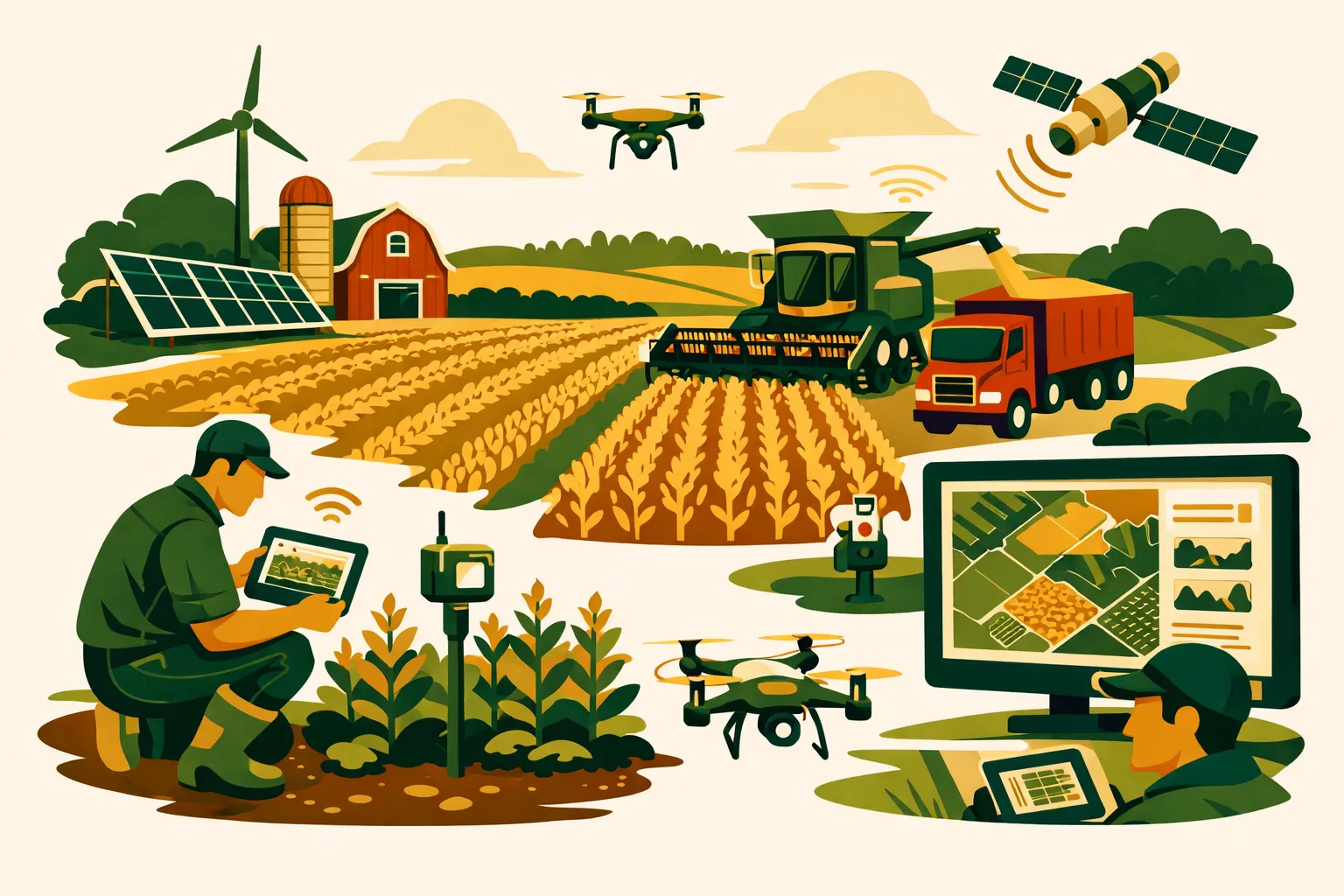
Margins are tight, labor is harder to schedule, input decisions carry more risk, and farm data is often scattered across notebooks, texts, spreadsheets, monitors, and memory. The farms that gain an operating edge are not necessarily the ones with the most technology. They are the ones that turn daily field activity into usable decisions before the next pass, purchase, invoice, or compliance deadline.
Agriculture management software gives commercial farms a central operating system for planning, assigning, tracking, documenting, and reviewing work across acres, crews, equipment, inputs, and finances. For 50-acre specialty operations and 5,000+ acre row crop businesses alike, the value comes from connecting decisions that used to sit in separate places.
This guide covers five practical ways agriculture management software can transform farm operations by 2026, with implementation steps, cost expectations, and field-level workflows you can put to work.
For more farm technology resources, see the FarmsFlo software category and farm operations guides.
What Agriculture Management Software Should Do on a Commercial Farm
Agriculture management software is more than digital recordkeeping. At farm scale, it should help managers run the business day to day while preserving the records needed for agronomy, compliance, traceability, payroll, maintenance, and financial review.
A strong system typically supports:
- Field and crop planning
- Work orders and task assignments
- Input tracking by field, crop, block, or zone
- Labor scheduling and crew reporting
- Equipment maintenance records
- Spray, fertilizer, irrigation, harvest, and scouting logs
- Inventory tracking for seed, chemicals, fertilizer, fuel, parts, and supplies
- Compliance documentation
- Cost tracking by enterprise, field, or crop
- Mobile access for field crews
- Reporting for managers, owners, lenders, auditors, or buyers
The key question is not whether software has many features. The better question is whether it helps your farm make fewer duplicated decisions, reduce missed work, and improve visibility across the operation.
Agriculture Management Software vs. Traditional Farm Management Methods
Many farms still operate with a combination of paper notes, whiteboards, spreadsheets, text messages, radio calls, and memory. Those tools can work for small teams, but they become fragile as acreage, labor, crop diversity, equipment complexity, and reporting requirements increase.
| Management Area | Paper/Spreadsheet Approach | Agriculture Management Software Approach | Operational Impact |
|---|---|---|---|
| Field work planning | Plans stored in notebooks, calendars, or individual manager files | Centralized task planning by field, crop, crew, date, and priority | Fewer missed passes and clearer daily work direction |
| Input records | Manual logs entered later, often from memory | Mobile input logging at the time of application | Better accuracy for spray, fertilizer, seed, and compliance records |
| Labor tracking | Timesheets, texts, or supervisor notes | Crew assignments, job costing, and time tracking tied to work orders | Cleaner labor cost allocation |
| Equipment maintenance | Service intervals tracked manually or after breakdowns | Maintenance schedules and repair histories tied to assets | Better uptime planning and repair visibility |
| Inventory | Bin sheets, shop notes, or separate spreadsheets | Real-time stock movement linked to field use and purchases | Fewer last-minute shortages and duplicate orders |
| Reporting | Compiled manually at season end | Reports generated from daily activity records | Faster reviews for cost, compliance, and management decisions |
A farm does not need to digitize everything at once. The best results usually come from fixing the highest-friction workflow first, then expanding once crews and managers trust the system.
1. Turn Field Work Into Controlled, Trackable Workflows
Field operations fail most often at the handoff points: plan to crew, crew to manager, application to record, and completed work to cost review. Agriculture management software tightens those handoffs by converting field plans into assigned, trackable work.
What This Looks Like in Practice
Instead of a manager texting instructions to multiple operators and later trying to reconstruct what happened, software allows the farm to create work orders for specific fields or blocks.
A work order can include:
- Field name or ID
- Crop and growth stage
- Operation type
- Assigned operator or crew
- Equipment required
- Product and rate
- Target date or work window
- Notes on field conditions
- Completion status
- Actual acres, hours, and inputs used
For row crop farms, this may cover tillage, planting, spraying, sidedressing, irrigation checks, harvest, grain hauling, and drainage work. For specialty crop operations, it can cover pruning, thinning, spraying, harvest crews, irrigation sets, food safety tasks, and post-harvest handling.
The value is simple: everyone works from the same source of truth.
Why This Transforms Operations by 2026
As farms face tighter labor availability and more complex application restrictions, informal task management becomes risky. A missed re-entry interval, duplicated spray pass, skipped irrigation check, or delayed harvest block can have real financial consequences.
Agriculture management software helps managers answer:
- What work is planned today?
- Which fields are ready?
- Which crew or operator has the assignment?
- What has been completed?
- What still needs attention before weather changes?
- Which jobs are behind schedule?
- Which operations used more time, fuel, or labor than expected?
That level of visibility is difficult to maintain with whiteboards and texts once multiple crews, crops, or locations are involved.
Implementation Steps
Start with one high-value workflow. Good candidates include spraying, planting, harvest, irrigation, or harvest labor.
- Standardize field names before uploading anything.
- Build a current field list with crop, acreage, and location.
- Create task templates for repeatable operations.
- Assign one manager to approve work orders.
- Train operators to mark tasks complete in the field.
- Review incomplete, delayed, and changed tasks every morning.
- Compare planned work versus completed work weekly.
Time and Cost Estimate
For a 500- to 2,000-acre farm, expect:
- Setup time: 8–24 management hours for field lists, users, permissions, and basic workflows
- Crew training: 1–3 short training sessions, usually 30–60 minutes each
- Ongoing admin time: 15–45 minutes per day during peak season, depending on operation complexity
- Software cost: Often monthly or annual subscription pricing; some systems charge by user, acre, module, or operation size
Do not judge the system by setup week alone. The return comes when daily work becomes easier to assign, verify, and review.
2. Build Input Records That Stand Up to Agronomic, Financial, and Compliance Review
Input tracking is one of the strongest use cases for agriculture management software because seed, fertilizer, chemicals, water, fuel, and labor touch both production and profitability.
Bad input records create problems later. They make it harder to calculate true cost per field, verify restricted-use applications, document organic or buyer requirements, explain yield differences, and control inventory.
The Problem With Delayed Recordkeeping
Many farms still record applications at the end of the day or end of the week. During busy windows, that often means relying on memory, partial notes, or operator texts.
Common gaps include:
- Wrong field name
- Missing acres
- Product rate not recorded
- Tank mix not fully documented
- Weather conditions missing
- Applicator not identified
- Lot number not captured
- Application time unclear
- Inventory not deducted
- Re-entry or pre-harvest interval not visible to the team
These gaps may not matter on a quiet day. They matter when an auditor, crop advisor, buyer, lender, regulator, or insurance adjuster asks for documentation.
How Software Improves Input Control
Agriculture management software connects planned input use with actual field activity. That connection supports better decisions before, during, and after the application.
For example, a spray workflow can include:
- Planned product
- Label rate range
- Target crop
- Field location
- Applicator
- Equipment
- Tank mix
- Weather record
- Start and finish time
- Treated acres
- Actual product used
- Inventory adjustment
- Restricted-entry interval
- Pre-harvest interval
- Notes on drift risk or field conditions
This does not replace label compliance or professional agronomic judgment. It gives the farm a cleaner structure to document what happened.
Practical Benefits
Better input records help commercial farms:
- Compare product use across fields
- Identify fields with high input cost
- Verify applications before harvest
- Support GlobalG.A.P., organic, buyer, or processor records where applicable
- Reduce duplicate purchases
- Improve chemical and fertilizer inventory planning
- Build accurate enterprise budgets
- Share cleaner information with agronomists and consultants
See more related operational content in FarmsFlo’s farm management and software sections.
Implementation Steps
Begin with spray and fertilizer records before trying to capture every farm input.
- Create a master product list.
- Standardize units of measure.
- Assign responsibility for approving product lists.
- Train applicators to record actual use immediately after application.
- Connect inventory deductions to completed jobs.
- Review exceptions daily during spray season.
- Export records weekly and check for missing fields.
Time and Cost Estimate
- Product list setup: 2–8 hours depending on inventory size
- Spray/fertilizer workflow buildout: 4–12 hours
- Applicator training: 1–2 hours per applicator
- Daily review: 10–30 minutes during active application windows
- Hardware needs: Usually smartphones or tablets; rugged cases and chargers may be worth budgeting for field crews
If your current records take several days to organize for an audit or buyer request, input tracking is likely one of the fastest software wins.
3. Connect Labor, Equipment, and Field Costs Before the Season Is Over
Many farms know whether the year was profitable only after the accountant closes the books. That is too late to adjust operating decisions. Agriculture management software helps managers see costs by field, crop, block, job, crew, or equipment while the season is still moving.
Why Cost Visibility Matters
Commercial farms often track major expenses well at the business level. The harder part is assigning those costs accurately to production units.
Examples:
- Which fields carry the highest machinery cost?
- Which crop blocks require the most hand labor?
- Which custom work should be replaced with owned equipment?
- Which machine creates downtime during narrow operating windows?
- Which variety or field has high input cost but weak yield performance?
- Which harvest crew is fast but creates quality problems?
- Which irrigation set consumes labor that could be reduced with scheduling changes?
Without connected records, managers may rely on assumptions. Software helps turn those assumptions into reviewable data.
Labor Tracking at Farm Scale
Labor is one of the hardest costs to manage because crews move between jobs, blocks, locations, and crops. A basic time clock tells you who worked. A farm management platform should tell you what the labor produced.
Useful labor records include:
- Employee or crew
- Job type
- Field, block, barn, shop, or facility
- Crop or enterprise
- Start and stop time
- Piece rate or hourly classification
- Supervisor approval
- Notes on delays or quality issues
For specialty crop farms, tying crew time to blocks and tasks can change how managers evaluate pruning, thinning, harvest, packing, and food safety labor. For broadacre farms, tracking operator time by field operation helps clarify machinery and labor cost per acre.
Equipment Cost Tracking
Agriculture management software can also support better equipment decisions by linking machines to jobs.
Track:
- Machine hours
- Fuel use where available
- Maintenance events
- Repairs
- Downtime
- Operator notes
- Field operation performed
- Attachments or implements used
A repair bill by itself is useful. A repair bill connected to hours, acres, crop stage, downtime, and season timing is far more useful.
Costing Workflows to Build First
Do not start with a complicated cost accounting model if your team is new to software. Start with three categories:
- Labor hours by job and field
- Input use by field
- Equipment hours by operation
Once those records are consistent, you can improve reports for cost per acre, cost per crop, cost per harvested unit, and cost per enterprise.
Time and Cost Estimate
For a mid-sized farm implementing labor and equipment costing:
- Job code setup: 2–6 hours
- Employee and role setup: 2–8 hours
- Equipment list setup: 2–6 hours
- Crew training: 1–3 sessions
- Weekly review: 30–90 minutes
- Season-end report preparation: Less manual work if records were maintained throughout the season
The biggest cost is usually not subscription price. It is management discipline. If supervisors do not approve records regularly, the data quality drops fast.
4. Improve Inventory and Purchasing Control Across Inputs, Parts, and Supplies
Inventory problems are expensive because they often surface when the farm has the least flexibility. A missing chemical, low seed supply, empty fuel tank, unavailable irrigation part, or untracked packaging material can delay work and force rushed purchases.
Agriculture management software helps farms connect inventory to actual use rather than relying only on bin checks and memory.
Inventory Areas Worth Digitizing
For commercial operations, the most valuable inventory categories often include:
- Seed
- Fertilizer
- Crop protection products
- Fuel and lubricants
- Irrigation parts
- Equipment parts
- Packaging materials
- Harvest supplies
- Livestock feed and animal health products, where applicable
- Food safety and sanitation supplies
The right starting point depends on your bottlenecks. If spray season is chaotic, digitize chemical inventory first. If harvest packing supplies create delays, start there. If equipment downtime is a recurring problem, begin with parts.
How Software Changes Purchasing Behavior
When inventory is linked to work orders and completed field activity, managers can see what has been used, what remains, and what must be ordered before the next job.
This supports:
- Better pre-season purchasing plans
- Cleaner separation of planned versus actual use
- Reduced duplicate ordering
- Faster reconciliation after applications
- Improved lot tracking
- Better visibility across multiple farms, shops, tanks, or storage locations
- More accurate cost allocation
For multi-location farms, inventory visibility can prevent one location from ordering supplies while another location has stock sitting unused.
Practical Inventory Workflow
A workable system does not need to be complicated.
- Receive product into inventory.
- Assign it to a storage location.
- Link product to planned work orders.
- Deduct actual use when work is completed.
- Flag low-stock thresholds.
- Reconcile physical inventory on a regular schedule.
- Review open purchase needs weekly during peak periods.
Common Mistakes to Avoid
Avoid these rollout errors:
- Creating too many inventory locations on day one
- Allowing multiple names for the same product
- Ignoring units of measure
- Waiting until year-end to reconcile
- Tracking purchase quantity but not field use
- Giving too many people permission to edit product lists
- Failing to record partial containers, totes, or remaining seed units
Inventory software only works if the farm standardizes names, units, permissions, and receiving procedures.
Time and Cost Estimate
- Initial inventory setup: 4–16 hours depending on product count
- Receiving workflow training: 30–60 minutes for office/shop staff
- Application/use workflow training: 30–90 minutes for applicators or supervisors
- Physical reconciliation: Monthly, quarterly, or at key seasonal transitions
- Barcode/RFID hardware: Optional; useful for larger operations, high-value parts rooms, or packing facilities
For farms moving thousands of acres through narrow operating windows, inventory control is not just an accounting issue. It is a field execution issue.
5. Use Reports and Dashboards to Make Faster Management Decisions
The long-term value of agriculture management software comes from better decisions. Reports and dashboards should help managers act while there is still time to change the outcome.
A report that arrives after the season may help with planning next year. A dashboard that shows open spray tasks, low inventory, crew progress, equipment downtime, or field cost trends can affect today’s decisions.
Reports That Matter to Farm Managers
Useful farm management reports often include:
- Planned versus completed field operations
- Input cost by field or crop
- Labor hours by job, crew, block, or enterprise
- Equipment hours and maintenance cost by asset
- Open work orders
- Product usage and remaining inventory
- Spray and fertilizer application logs
- Harvest volume by field or block
- Yield by field, variety, or management zone
- Cost per acre or cost per harvested unit
- Compliance records by date, crop, product, or location
The best reports are not the most complex. They are the ones managers review consistently and use to change decisions.
Manager Dashboards for Daily Control
A daily dashboard should answer practical questions:
- What work must be completed today?
- What tasks are overdue?
- Which fields are waiting on weather, labor, inputs, or equipment?
- Which crews are assigned?
- Which machines are down?
- Which products are below reorder level?
- Which applications have missing records?
- Which harvest blocks are ready or delayed?
This lets the farm operate from a management cockpit rather than scattered updates.
Owner and Finance Dashboards
Owners and finance managers need a different view.
They may need:
- Crop or enterprise profitability
- Budget versus actual cost
- Capital equipment utilization
- Labor cost trends
- Input purchasing commitments
- Cash flow timing indicators
- Revenue by crop, buyer, field, or contract
- Insurance or lender reporting support
Agriculture management software should not replace accounting software in every case. On many farms, the best setup is integration or structured export between field operations software and accounting systems.
Agronomy and Production Dashboards
Agronomists, crop consultants, and production managers benefit from field-level records tied to scouting, weather, input use, and yield.
Useful views include:
- Pest and disease observations
- Variety performance
- Irrigation and rainfall records
- Fertility programs
- Crop stage notes
- Application history
- Harvest timing
- Yield outcomes
This helps separate opinion from observed field history.
Practical Checklist: How to Implement Agriculture Management Software Without Disrupting the Farm
Use this checklist before signing a contract or launching across the operation.
Pre-Selection Checklist
- Identify the top three operational problems the software must solve.
- List current tools: spreadsheets, apps, accounting systems, monitors, GPS platforms, payroll, and inventory systems.
- Decide whether the first rollout will focus on field work, inputs, labor, inventory, compliance, or equipment.
- Confirm mobile access works in your field conditions.
- Ask how data can be exported.
- Review user permissions for owners, managers, supervisors, operators, office staff, consultants, and seasonal workers.
- Confirm support options during planting, spray season, harvest, or other peak windows.
- Check whether field maps and boundary imports are supported.
- Confirm how pricing works: users, acres, modules, locations, or enterprise size.
- Ask for a live workflow demonstration using your actual farm scenario.
Setup Checklist
- Standardize field, block, crop, and variety names.
- Build a current equipment list.
- Build user roles and permission levels.
- Import or enter product lists.
- Set up task templates for repeatable operations.
- Define job codes for labor tracking.
- Assign one internal system owner.
- Train managers before training field crews.
- Start with one or two workflows, not every feature.
- Set a weekly review meeting for the first 60–90 days.
Field Rollout Checklist
- Test mobile use from actual field locations.
- Provide chargers, mounts, or rugged cases where needed.
- Keep field instructions short and consistent.
- Require same-day task completion updates.
- Review missing records daily during the first two weeks.
- Keep a fallback process for weather emergencies or connectivity gaps.
- Ask operators what slows them down in the system.
- Simplify forms if data entry is too heavy.
- Lock down naming conventions to prevent duplicate records.
- Report early wins back to the team.
What Agriculture Management Software Costs in Real Farm Operations
Costs vary by platform, acres, modules, number of users, integrations, and support level. Many farm software companies use subscription pricing. Some quote based on farm size or required modules.
When budgeting, include more than the subscription fee.
Common Cost Categories
- Software subscription
- Setup or onboarding fees
- Data import or migration
- Training time
- Staff administration time
- Tablets, phones, mounts, or rugged cases
- Connectivity improvements where needed
- Integrations with accounting, payroll, equipment, or agronomy platforms
- Ongoing support or premium service plans
Practical Budgeting Approach
For planning purposes, break the project into three cost levels:
Basic rollout:
Field list, work orders, simple records, limited users, basic reporting.
Intermediate rollout:
Inputs, labor, equipment, inventory, mobile crews, compliance reports.
Advanced rollout:
Multiple locations, integrations, dashboards, advanced costing, role-based reporting, inventory across sites, and deeper analytics.
The costliest implementation mistake is buying an advanced system and failing to change the daily workflow. A modest software setup used consistently will outperform a feature-heavy system that crews avoid.
How to Choose the Right Agriculture Management Software for Your Farm
A good buying process starts with farm workflows, not feature lists.
Questions to Ask Vendors
Ask direct, practical questions:
- Can we create work orders by field, crop, crew, and equipment?
- Can operators use it from a phone in the field?
- What happens when connectivity is poor?
- Can we track actual input use against planned use?
- Can we export spray records in a usable format?
- Can labor be assigned to fields, crops, jobs, or blocks?
- Can equipment hours and maintenance be tracked?
- Can inventory be tied to completed work?
- Can we control who edits records?
- How are field names, products, and job codes standardized?
- Can the system handle multiple farms or locations?
- What support is available during peak season?
- Can data be exported if we leave the platform?
Red Flags
Be cautious if:
- The demo looks good but does not use farm-scale workflows.
- Field data entry requires too many steps.
- The mobile app performs poorly.
- Data export is limited or unclear.
- Product naming and units are hard to control.
- Permissions are too basic for seasonal labor.
- The vendor cannot explain implementation steps.
- Support is only available during office hours that do not match your operating windows.
- The platform solves accounting but not field execution, or field execution but not management reporting.
Match the Software to Your Operation Type
Different farms need different priorities.
Row crop farms may prioritize field operations, equipment, inputs, crop plans, grain inventory, and cost per acre.
Specialty crop farms may prioritize labor, block-level tasks, harvest tracking, food safety records, spray logs, irrigation, and buyer requirements.
Livestock and mixed operations may prioritize feed, animal health, grazing plans, manure applications, crop-livestock cost allocation, and inventory.
Multi-location farms may prioritize permissions, inventory by site, standardized workflows, and dashboards for owners or general managers.
Data Quality: The Difference Between Software That Works and Software That Fails
Agriculture management software only improves operations if the data is reliable enough to use. Poor data creates distrust, and distrust sends managers back to spreadsheets and phone calls.
Set Data Standards Early
Before rollout, decide:
- Field naming format
- Crop and variety naming format
- Product naming format
- Units of measure
- Job codes
- Equipment IDs
- Employee and crew labels
- Inventory locations
- Required fields for work completion
- Approval rules
Write these standards down. Keep them short. Train everyone who enters data.
Assign a System Owner
Every successful rollout needs an internal owner. This person does not need to be the farm owner, but they need enough authority to enforce standards.
Responsibilities include:
- Maintaining field and product lists
- Managing users
- Checking incomplete records
- Coordinating vendor support
- Training new users
- Reviewing reports with managers
- Preventing duplicate or messy data
Without a system owner, software gradually becomes another cluttered filing cabinet.
Review Records While They Are Fresh
Do not wait until winter to clean records. Review them during the season when the operator, applicator, or supervisor still remembers what happened.
Good review rhythm:
- Daily during planting, spraying, harvest, and peak labor periods
- Weekly during moderate activity
- Monthly during slower periods
- Season-end review for planning and budgets
Fast review improves accuracy and builds trust.
A 90-Day Rollout Plan for Commercial Farms
A phased rollout is usually better than a full-system launch during peak season.
Days 1–15: Define the Operating Problem
Choose one or two workflows:
- Spray records
- Planting progress
- Harvest crews
- Irrigation checks
- Equipment maintenance
- Input inventory
- Labor tracking
Document the current process and pain points. Decide what a successful rollout must achieve.
Days 16–30: Build the Foundation
Set up:
- Fields or blocks
- Crops
- Users and permissions
- Equipment
- Products
- Task templates
- Job codes
- Inventory locations if needed
Test with sample jobs before involving the whole team.
Days 31–45: Train Managers and Supervisors
Train the people who assign and approve work first. They must understand how the system supports daily decisions, not just data entry.
Focus training on:
- Creating tasks
- Assigning crews
- Reviewing completed work
- Fixing errors
- Running basic reports
Days 46–75: Pilot in the Field
Run a limited pilot with one crew, one operation, or one location.
Measure:
- Are tasks assigned clearly?
- Can users update jobs quickly?
- Are required records complete?
- Are managers reviewing results?
- What steps create friction?
Adjust forms and workflows before expanding.
Days 76–90: Expand and Standardize
Add more users or workflows once the pilot is stable.
By day 90, the farm should have:
- Standard naming conventions
- A trained core team
- One or two reliable workflows
- Basic reports used weekly
- A process for correcting records
- A plan for the next workflow expansion
This approach protects the farm from overcomplication and helps crews see practical value early.
The 2026 Outlook: Why Farm Software Will Become a Core Operating Tool
By 2026, agriculture management software will be less of a back-office recordkeeping tool and more of a daily operations platform. Commercial farms are being pushed by labor constraints, input volatility, reporting demands, traceability requirements, and tighter capital decisions.
The farms most likely to benefit are those that use software to improve the basics:
- Plan work clearly
- Assign people efficiently
- Track inputs accurately
- Control inventory
- Maintain equipment
- Document compliance
- Review costs before the year is over
- Make management decisions from current records
The goal is not to replace experienced managers. The goal is to give them cleaner information, faster visibility, and a better way to coordinate work across the farm.
Agriculture management software cannot fix poor communication, unclear roles, or weak discipline by itself. But when paired with practical operating standards, it can turn scattered farm activity into a controlled management system.
How FarmsFlo Helps
FarmsFlo is built for commercial farm teams that need practical software to manage field work, records, people, equipment, and day-to-day operations without adding unnecessary complexity.
With FarmsFlo, farm managers can centralize operational information, assign and track work, improve recordkeeping, and give teams a clearer way to manage the season. Whether you are trying to clean up spray records, organize field tasks, improve labor visibility, or prepare for more structured reporting by 2026, FarmsFlo gives your operation a practical place to start.
If your farm is ready to move beyond scattered spreadsheets, texts, and paper logs, try FarmsFlo and see how it can support your operating workflow.
Start a trial at farmsflo.com.