5 Reasons Why Harvest Tracking Software Actually Transforms Farm Operations in 2026
Discover how harvest tracking software actually transforms farm operations by improving efficiency and record-keeping in 2026.
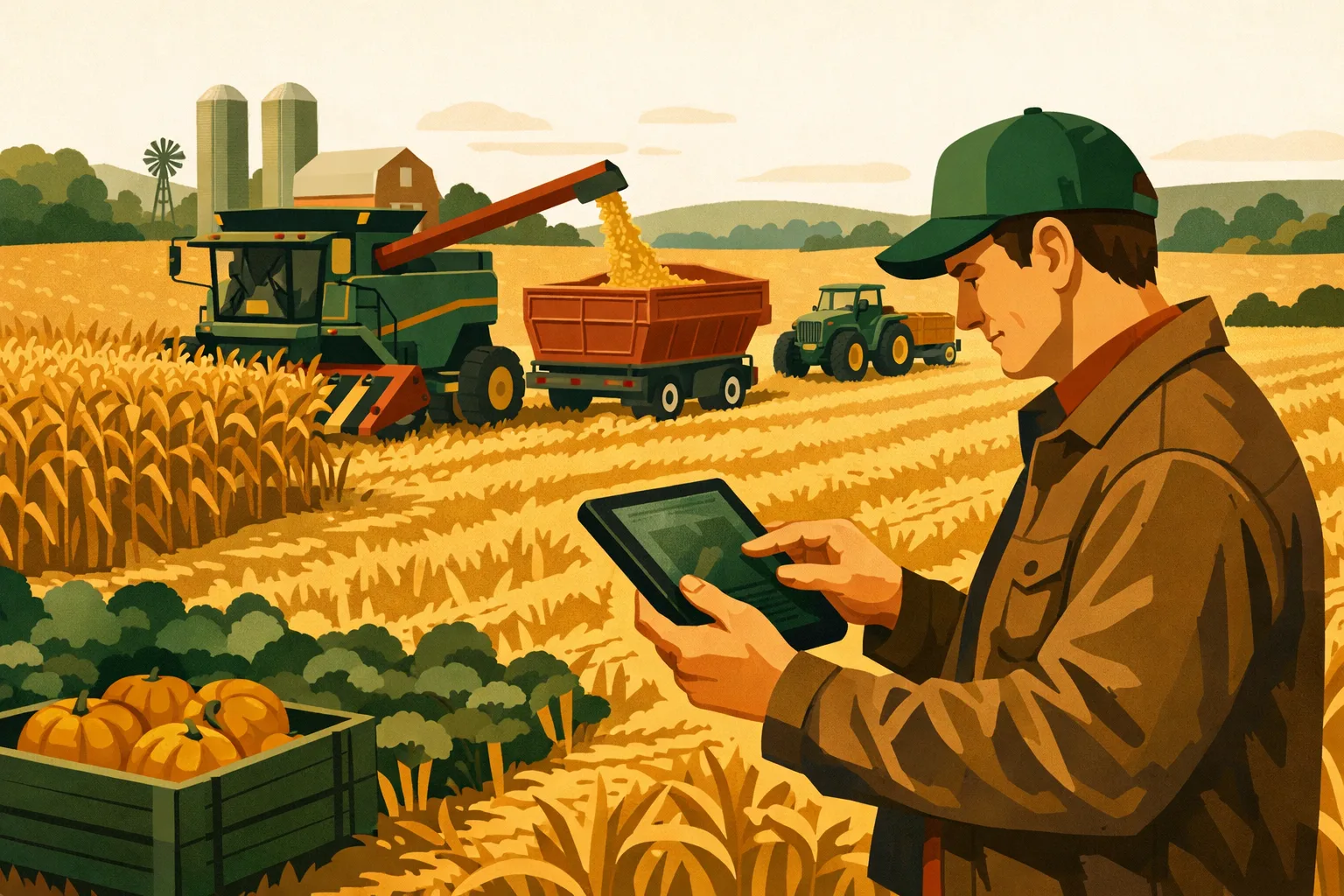
Every harvest exposes the same operational truth: the crop is only one part of the job. The bigger challenge is coordinating people, machines, fields, loads, storage, tickets, moisture, shrink, contracts, and decisions while the clock is running and weather windows keep changing. If your team is still managing that process with whiteboards, text threads, paper scale tickets, and spreadsheets updated after dark, you are probably losing time, visibility, and margin during the most valuable weeks of the year.
Harvest tracking software gives commercial farms a single operating system for harvest activity. It helps managers see what is happening field by field, load by load, and crew by crew — while the work is still in progress. For 50-acre specialty crop operations, 5,000-acre grain farms, and diversified producers managing multiple harvest windows, the right system can reduce administrative drag, improve field decisions, and make post-harvest reconciliation far easier.
This guide breaks down the practical reasons harvest tracking software is becoming a core farm management tool in 2026, what features matter, how to evaluate options, and how to implement it without disrupting harvest.
What Harvest Tracking Software Does on a Commercial Farm
Harvest tracking software is a digital system for recording, monitoring, and managing harvest activity across fields, crews, equipment, bins, trucks, storage locations, and delivery points.
At a basic level, it replaces disconnected paper records and spreadsheets. At a more advanced level, it connects harvest progress to labor, equipment use, yield, quality, logistics, inventory, and financial reporting.
For commercial farm operators, the goal is not “more data.” The goal is better execution during harvest and cleaner records after harvest.
Common Activities Tracked
Depending on the crop and system, harvest tracking software may track:
- Field harvested and acres completed
- Crop, variety, block, or field ID
- Harvest date and time
- Operator, crew, truck, cart, combine, picker, or harvester
- Load count, weight, volume, bins, totes, or boxes
- Moisture, test weight, grade, size, quality, or defects
- Destination: bin, elevator, processor, cold storage, packhouse, or customer
- Scale tickets and delivery documents
- Harvest losses, rejected loads, or downgraded product
- Labor hours by crew, task, or field
- Equipment hours and fuel use
- Inventory by storage location
- Contract fulfillment and delivery status
For more farm software topics, see the FarmsFlo software category. If you are comparing harvest tools as part of a broader operating system, the farm management section is also useful.
Reason 1: Real-Time Harvest Visibility Reduces Operational Guesswork
During harvest, the most expensive decisions are often made with incomplete information.
A farm manager may need to know:
- Which field will be finished before rain?
- Should trucks be moved to another farm?
- Is the combine waiting on carts or the carts waiting on trucks?
- Which crew is behind schedule?
- Is the wet bin filling faster than the dryer can handle?
- Are loads going to the correct elevator, processor, or storage site?
- How much crop remains standing by field?
Without harvest tracking software, these answers often come from phone calls, handwritten notes, radio chatter, or someone driving between fields. That works until the operation gets too spread out, too fast-moving, or too complex.
Field-Level Progress While Work Is Happening
A practical harvest tracking system lets managers see progress by field or block. Instead of waiting until the end of the day to update a spreadsheet, harvest activity is logged as loads, acres, bins, or units are completed.
For grain operations, this may mean seeing acres harvested, loads delivered, moisture readings, and estimated remaining bushels. For fruit, vegetable, seed, or specialty crop farms, it may mean seeing crew productivity, bins harvested, quality grades, or packout indicators by block.
This matters because small adjustments during harvest often have a large effect:
- Moving a truck before the bottleneck gets severe
- Reassigning a crew to finish a high-priority block
- Changing destinations based on moisture or quality
- Splitting fields by variety, contract, or storage plan
- Prioritizing low-lying fields before a rain event
- Keeping harvesters running instead of waiting
Better Communication Across the Harvest Team
Harvest tracking software also reduces dependence on one person holding all the information.
On many farms, the owner, general manager, or harvest lead becomes the “traffic controller.” Every operator, truck driver, crew leader, and office employee calls that person for updates. That creates a bottleneck and increases the chance of miscommunication.
With a shared system, authorized team members can see the same current information. That does not mean every employee needs full access to financials or sensitive records. A good platform should allow role-based permissions so crew leaders, office staff, and managers only see what they need.
Practical Example: Grain Farm
A 2,000-acre corn and soybean operation may have two combines, one grain cart, several trucks, multiple rented bins, and elevator deliveries tied to different contracts.
Without software, the office may not know which tickets belong to which field until someone sorts them days later. The manager may not know whether the trucks are falling behind until combines stop. Moisture readings may be written on tickets but not used quickly enough to adjust field order.
With harvest tracking software, the farm can log each load by field, truck, destination, and ticket. The manager can see when a field is nearing completion, compare moisture levels across farms, and keep storage decisions aligned with capacity.
Practical Example: Specialty Crop Farm
A 300-acre vegetable operation may harvest multiple blocks daily with different crews, packaging formats, cooling requirements, and buyer specifications.
Software can track which crew harvested which block, how many bins or cartons were produced, where they went, and whether quality issues appeared. If a buyer calls about a lot, the farm can trace the product back to the field, crew, and harvest date quickly.
That visibility supports both operational efficiency and food safety documentation.
Reason 2: Cleaner Records Save Administrative Time After Harvest
Harvest records are only useful if they are accurate, complete, and available when needed. Paper systems often break down because harvest is chaotic. Tickets get misplaced. Field names are abbreviated differently. Drivers forget to write destinations. Office staff spend hours decoding handwriting or matching loads to fields.
Harvest tracking software reduces that administrative cleanup by capturing records in a structured format from the start.
Where Paper and Spreadsheets Create Hidden Costs
The cost of poor harvest documentation is not always obvious during harvest. It shows up later when you need to:
- Reconcile elevator tickets
- Allocate yield by landlord or field
- Calculate crop share settlements
- Confirm custom harvesting invoices
- Analyze field profitability
- Validate crop insurance records
- Complete processor or buyer documentation
- Track inventory by bin or storage location
- Review quality differences by variety or block
- Prepare records for lenders, advisors, or accountants
A spreadsheet can handle some of this, but only if the data going into it is consistent. When multiple people are sending notes, photos, texts, and paper tickets, data entry becomes a second harvest after harvest.
Estimated Time Savings
Actual time savings depend on crop type, staff size, and current recordkeeping habits. For many commercial farms, moving from paper tickets and spreadsheets to a digital harvest workflow can save several hours per week during harvest and significantly reduce post-harvest reconciliation work.
A practical estimate:
| Operation Type | Common Manual Admin Load | Likely Digital Workflow Benefit |
|---|---|---|
| 50–300 acre specialty crop farm | Daily crew sheets, bin counts, quality notes, buyer records | Faster lot tracking, cleaner crew productivity records, fewer missing harvest details |
| 300–1,500 acre mixed crop farm | Field logs, load sheets, delivery tickets, inventory updates | Better field-level records and less spreadsheet cleanup |
| 1,500–5,000+ acre grain farm | Scale tickets, bin movements, contract delivery tracking, landlord splits | Faster ticket reconciliation and clearer yield allocation |
These are operational categories, not guaranteed savings. The biggest gains usually come where farms have multiple fields, multiple crews, multiple delivery destinations, or complex ownership and landlord arrangements.
Better Records for Crop Insurance, Compliance, and Audits
Commercial farms increasingly need reliable documentation. That may include crop insurance production records, food safety records, organic certification documentation, processor requirements, landlord reports, or internal financial analysis.
Harvest tracking software can help create a defensible record of what happened:
- Field harvested
- Date harvested
- Quantity removed
- Destination
- Quality or grade
- Supporting tickets or documents
- Responsible operator or crew
For specialty crop producers, digital harvest records may also support traceability. For grain farms, better field-level production records can simplify insurance and landlord reporting.
If compliance and documentation are major concerns, you may also want to review related guidance in FarmsFlo’s compliance and operations categories.
Reason 3: Harvest Tracking Software Improves Labor and Equipment Efficiency
Harvest is one of the highest-cost labor and equipment periods of the year. Machines are expensive to run. Skilled operators are hard to replace. Seasonal crews need clear direction. Trucks, carts, harvesters, forklifts, pack lines, dryers, and storage crews all need to move in sync.
Harvest tracking software helps managers identify bottlenecks and adjust before productivity drops.
Labor Management During Harvest
For many farms, harvest labor is not just a payroll issue. It is a scheduling, supervision, productivity, and accountability issue.
Software can help answer:
- Which crew harvested which block?
- How many bins, boxes, loads, or acres did each crew complete?
- Which fields required more labor than expected?
- Did labor hours match harvested quantity?
- Were delays caused by weather, equipment, transportation, or crew availability?
- Which shifts or crews consistently perform well?
For hand-harvested crops, this is especially valuable. Crew productivity can vary by crop condition, field layout, distance to staging areas, packaging requirements, and supervision. Digital records make it easier to distinguish between a labor problem and a field condition problem.
For mechanized operations, labor tracking can reveal whether operators are waiting on support equipment, whether truck drivers are assigned efficiently, or whether night shifts are producing enough to justify the added management complexity.
Equipment Utilization and Bottleneck Identification
A harvest system does not need to replace telematics or equipment monitors to be useful. Even simple tracking of equipment assignments, field activity, load movement, and downtime can help.
Common bottlenecks include:
- Combines waiting on grain carts
- Carts waiting on trucks
- Trucks waiting at elevators
- Pickers waiting on empty bins or totes
- Crews waiting on forklifts
- Product waiting too long before cooling
- Dryers limiting corn harvest pace
- Storage sites filling unexpectedly
- Service delays causing machine downtime
When harvest tracking software records activity timestamps and movement, managers can see patterns. For example, if trucks are spending too much time in line at one delivery point, the farm may redirect loads, adjust start times, or add temporary hauling capacity.
Cost Considerations
Software costs vary widely depending on features, users, crop type, integrations, and support. Commercial farm platforms may charge monthly, annually, per user, per acre, or by module.
When evaluating cost, compare subscription fees against operational savings such as:
- Reduced office data entry
- Fewer missing tickets
- Better equipment uptime
- Less time spent calling for status updates
- Faster harvest decisions
- Improved inventory accuracy
- Cleaner landlord or contract reporting
- Reduced rework in accounting
For a farm running multiple machines, even a small reduction in downtime during peak harvest can justify better coordination tools. The key is choosing software that fits your workflow rather than buying a system that creates extra data entry without changing decisions.
Reason 4: Inventory, Storage, and Delivery Decisions Get More Accurate
Harvest does not end when the crop leaves the field. For many operations, the highest-value decisions happen between field, storage, and final sale.
Harvest tracking software helps connect production records to inventory and delivery management.
Field-to-Storage Tracking
For grain farms, field-to-bin tracking is often one of the most valuable uses. Knowing which field went into which bin supports:
- Quality segregation
- Moisture management
- Identity-preserved grain
- Seed production records
- Landlord settlement
- Marketing decisions
- Traceability
- Crop insurance documentation
Without digital tracking, bin records may depend on memory, handwritten notes, or end-of-season estimates. That can create problems when grain from different farms, landlords, varieties, moisture levels, or quality grades is mixed.
A good system should allow the farm to log:
- Load origin
- Destination bin or storage site
- Weight or estimated quantity
- Moisture and quality readings
- Date and operator
- Ticket or scale record
- Transfers between bins or delivery points
For farms with dryers, the system should also help distinguish wet bushels, dry bushels, shrink, and final inventory where applicable.
Specialty Crop Inventory and Lot Control
For produce, fruit, nuts, seed, and other specialty crops, harvest tracking software can support lot-level inventory. That may include:
- Block or field origin
- Harvest crew
- Harvest date and time
- Bin, tote, pallet, or lot ID
- Cooling time
- Packhouse movement
- Grade or size category
- Buyer or shipment assignment
- Rejected or downgraded product
This is especially useful when quality changes quickly after harvest. If one block produces softer fruit, lower sugar, higher defects, or inconsistent sizing, managers need to know before product is packed, shipped, or assigned to a buyer.
Delivery and Contract Fulfillment
Many farms deliver against contracts, processor schedules, elevator bids, CSA wholesale commitments, seed production agreements, or packer instructions. Mistakes can be costly.
Harvest tracking software can help ensure loads are sent to the right destination and connected to the right obligation.
Examples:
- Contracted corn delivered to the correct elevator
- High-moisture corn routed to on-farm storage
- Seed beans segregated from commodity soybeans
- Organic crop kept separate from conventional crop
- Fresh produce assigned to the correct buyer lot
- Processor loads tracked against daily delivery schedule
- Storage inventory matched against forward sales
This level of tracking is difficult to maintain with text messages and paper notes, especially when weather forces rapid plan changes.
Reason 5: Better Harvest Data Improves Management Decisions for the Next Season
The value of harvest data extends beyond the current crop year. Good harvest records become the foundation for field profitability, variety selection, fertility planning, drainage decisions, labor planning, marketing, and equipment investment.
Harvest tracking software helps turn harvest activity into management information.
Field Profitability Analysis
Yield alone does not tell the full story. A field may produce strong yield but require high drying costs, extra labor, longer trucking distance, or more harvest delays. Another field may yield slightly less but harvest efficiently and meet higher-value market specifications.
By connecting harvest data to field records, farms can evaluate:
- Yield by field, block, or variety
- Harvest timing
- Moisture or quality at harvest
- Labor hours per unit harvested
- Equipment hours per acre
- Trucking distance and delivery cost
- Storage requirements
- Rejected or downgraded product
- Market destination and price received
When combined with input costs and field operations records, harvest tracking software supports more accurate field-level profitability.
For broader planning resources, visit FarmsFlo’s crop management and finance categories.
Variety, Hybrid, and Block Performance
Many farms track yield by variety or hybrid, but records are often incomplete or too general. Harvest software can improve the accuracy of those comparisons.
For grain farms, tracking variety by field and load can support hybrid decisions. For specialty crop farms, harvest records can reveal which varieties performed better under commercial harvest conditions, not just yield potential.
Useful performance indicators include:
- Yield or harvested units
- Harvest window
- Moisture level
- Grade or quality
- Defect rate
- Labor requirement
- Machine harvestability
- Storage performance
- Buyer acceptance
- Packout results
This helps operators avoid making seed or planting decisions based only on visual field impressions or partial records.
More Accurate Planning for Labor, Machinery, and Storage
Next year’s harvest plan should be based on more than acreage and hope. Historic harvest data helps managers estimate:
- How many acres or blocks can be harvested per day
- How many trucks are needed by crop and distance
- Whether storage is sufficient
- When labor demand will peak
- Which fields create recurring bottlenecks
- Whether another cart, truck, forklift, bin, or dryer upgrade is justified
- Which delivery locations slow down harvest
- Where staging areas or field access need improvement
The best equipment decisions are made from operational evidence. Harvest tracking software gives managers that evidence.
Comparison: Manual Harvest Tracking vs. Harvest Tracking Software
The right system depends on farm size, crop type, staff capacity, and complexity. Some small operations can manage with spreadsheets for a while. But as acres, employees, fields, and delivery points increase, manual systems become harder to maintain.
| Area | Manual Tracking | Harvest Tracking Software |
|---|---|---|
| Field progress | Updated by calls, texts, whiteboards, or end-of-day notes | Updated in near real time by field, crop, block, or crew |
| Load records | Paper tickets, photos, spreadsheets | Digital load logs with field, destination, quantity, and supporting documents |
| Labor tracking | Crew sheets and payroll notes | Labor tied to harvest activity, field, crop, or task |
| Equipment coordination | Radio/phone communication | Shared visibility into assignments, progress, and bottlenecks |
| Inventory | Bin sheets, spreadsheets, estimates | Field-to-storage tracking and inventory updates |
| Traceability | Manual document matching | Lot, field, crew, and destination records connected |
| Reporting | Time-consuming post-harvest cleanup | Faster reports for management, landlords, buyers, and advisors |
| Risk | Missing tickets, inconsistent field names, delayed updates | More standardized data and clearer accountability |
| Best fit | Simple operations with few fields and destinations | Commercial farms with multiple fields, crews, machines, storage sites, or buyers |
Key Features to Look for in Harvest Tracking Software
Not every platform fits every farm. A grain farm, vineyard, vegetable operation, seed producer, and forage business may need different workflows. Before buying, define your must-have harvest processes.
Field and Crop Setup
The software should let you organize records around your farm structure. Look for support for:
- Farms, fields, blocks, zones, or ranches
- Crop year
- Crop, variety, hybrid, or planting
- Landlord or ownership structure
- Organic, conventional, identity-preserved, or contract designations
- Custom field names and maps
Field setup needs to be simple enough that your team will use it consistently. If setup is too complicated, the system may fail before harvest begins.
Mobile Data Entry
Harvest happens in the field, not at a desk. Mobile access is essential.
Look for:
- Phone and tablet compatibility
- Fast load entry
- Offline or low-connectivity mode where needed
- Simple user screens for operators and crew leaders
- Photo upload for tickets or quality issues
- GPS or location support if relevant
- Minimal typing during peak work
A harvest app should not slow down a combine operator, truck driver, crew leader, or scale employee. The best mobile workflows use dropdowns, saved defaults, barcode or QR options, and short forms.
Scale Ticket and Document Capture
For many farms, the scale ticket is still the official record. Harvest software should help capture and organize those documents.
Useful features include:
- Ticket photo upload
- Ticket number entry
- Weight, moisture, grade, and dockage fields
- Elevator, processor, or delivery location
- Contract association
- Field or landlord allocation
- Exportable ticket reports
Some farms may need integrations with scales, grain systems, or accounting tools. Others can get enough value from structured ticket capture and reporting.
Inventory and Storage Tracking
If your crop enters storage, inventory tracking should be part of the decision.
Look for:
- Bin, cooler, warehouse, lot, bay, or storage site setup
- Load assignment to storage
- Transfers between storage locations
- Adjustments for shrink, cleanout, drying, culls, or packout
- Inventory by crop, field, variety, or contract
- Delivery from storage to buyer or elevator
Storage mistakes can create marketing, quality, and compliance problems. Digital inventory records reduce that risk.
Reporting and Exports
Software is only useful if it produces reports managers actually need.
Common harvest reports include:
- Harvest progress by field
- Yield by field, crop, variety, or block
- Loads by destination
- Tickets by field or contract
- Inventory by storage location
- Labor by crop, crew, or task
- Equipment activity
- Quality or grade by lot
- Landlord production reports
- Crop insurance production summaries
- Buyer or processor delivery reports
Make sure reports can be exported to common formats for accountants, lenders, agronomists, insurers, and internal analysis.
Integration With Broader Farm Management
Harvest data becomes more valuable when connected to other farm records. If possible, evaluate how harvest software works with:
- Field activity records
- Planting records
- Input applications
- Labor management
- Equipment maintenance
- Inventory systems
- Accounting
- Payroll
- Crop marketing
- Compliance documentation
A standalone harvest app may solve one pain point. A broader farm management platform can connect harvest to the rest of the operation.
Practical Checklist: How to Implement Harvest Tracking Software Before Harvest
Do not wait until the first truck is loaded to introduce new software. Implementation should start before harvest pressure begins.
60–90 Days Before Harvest
- Define what you need to track by crop and field.
- List current pain points: missing tickets, unclear field progress, poor inventory records, labor tracking gaps, delivery confusion.
- Decide which records are mandatory and which are optional.
- Choose a software platform that fits your farm scale and workflow.
- Assign one internal owner for setup and training.
- Clean up field names, crop lists, landlord records, storage locations, and equipment lists.
- Confirm internet connectivity limitations in fields, yards, bins, and packhouses.
30–60 Days Before Harvest
- Set up farms, fields, crops, varieties, crews, equipment, storage, and delivery destinations.
- Build standard naming conventions.
- Create user roles for managers, operators, drivers, crew leaders, and office staff.
- Test mobile entry on the devices your team will use.
- Run a mock harvest workflow with sample loads or bins.
- Confirm how scale tickets, photos, and delivery documents will be captured.
- Build draft reports for management, landlords, buyers, or crop insurance.
1–2 Weeks Before Harvest
- Train operators, drivers, crew leaders, and office staff.
- Keep training short and role-specific.
- Print quick-reference instructions for cabs, offices, scale houses, and crew vehicles.
- Assign a backup person for data review.
- Confirm field maps and storage locations are accurate.
- Decide how mistakes will be corrected.
- Create a daily review routine.
During Harvest
- Review records daily, not after harvest.
- Fix field name or ticket errors immediately.
- Compare software records against scale tickets or bin sheets.
- Monitor bottlenecks and adjust crews, trucks, and destinations.
- Keep data entry requirements realistic.
- Collect feedback from users.
- Make small workflow improvements as needed.
After Harvest
- Reconcile tickets, inventory, and field totals.
- Export reports for accounting, landlords, crop insurance, buyers, or internal planning.
- Review equipment, labor, and logistics bottlenecks.
- Identify fields or blocks needing management changes.
- Document software improvements needed before next season.
- Use harvest data in winter planning meetings.
Estimated Implementation Time and Cost Considerations
Implementation does not have to be overwhelming, but it does require planning. The time requirement depends on the number of fields, crops, users, and integrations.
Typical Setup Time
For many commercial farms, a basic implementation may take:
- Small commercial operation: 4–10 hours for setup, testing, and training
- Mid-size operation: 10–25 hours for field setup, user training, storage setup, and reporting
- Large or complex operation: 25–60+ hours if multiple enterprises, integrations, custom reports, or many users are involved
These estimates assume the farm already has field lists, crop records, and storage information available. If records are disorganized, cleanup may take longer.
Cost Factors to Evaluate
When comparing platforms, consider:
- Subscription fee
- Number of users
- Mobile app access
- Support and onboarding
- Data import assistance
- Integrations
- Reporting tools
- Storage or inventory modules
- Labor tracking features
- Training time
- Device needs
- Internal staff time
Do not evaluate harvest tracking software only by monthly cost. A lower-cost tool that does not fit the operation may create more work. A higher-cost system may be justified if it reduces downtime, improves documentation, and supports better decisions.
Common Mistakes to Avoid
Harvest software fails when it is treated as a data project instead of an operations tool. Avoid these mistakes.
Tracking Too Much on Day One
If every load entry requires too many fields, users will skip steps or enter bad data. Start with the essentials:
- Field
- Crop
- Quantity
- Destination
- Date/time
- Operator or crew
- Ticket or document where applicable
Add more detail once the core workflow is reliable.
Failing to Standardize Field Names
Field naming issues create reporting problems. Decide on one naming system before harvest. Avoid multiple versions such as “North 80,” “N 80,” “Smith North,” and “Farm 3 North” unless the software maps them to one official field.
Not Training Seasonal Staff
Seasonal employees and temporary drivers often handle critical records. They need simple instructions and clear expectations. Training should be short, practical, and repeated as needed.
Waiting Until After Harvest to Review Data
Daily review is essential. If a field is assigned incorrectly for three days, fixing the error later may be difficult. Assign someone to check records every day.
Ignoring the Office Workflow
Harvest tracking affects accounting, payroll, crop insurance, landlord reporting, and buyer documentation. Include office staff before choosing or configuring software.
How to Choose the Right Harvest Tracking Software
Before requesting demos, write down your harvest workflow. Software demos can look impressive, but your decision should be based on fit.
Questions to Ask Vendors
Ask direct, farm-specific questions:
- Can the system track harvest by field, block, crop, and variety?
- Can users enter loads or bins from a phone?
- Does it work with limited connectivity?
- Can we attach scale ticket photos?
- Can we track inventory by bin, cooler, warehouse, or lot?
- Can reports be exported for landlords, crop insurance, or buyers?
- Can user permissions be limited by role?
- How long does setup usually take?
- What support is available during harvest?
- Can historical data be imported?
- Does it connect with our other farm management tools?
- What happens to our data if we cancel?
Demo With Real Farm Scenarios
Do not demo with generic examples. Use your actual harvest situations:
- A load from Field 12 goes to Bin 4.
- A truck delivers to an elevator contract.
- A crew harvests 80 bins from Block C.
- A quality issue appears in one variety.
- A scale ticket is missing.
- A field is split between two landlords.
- Product moves from field to cooler to buyer.
- Grain transfers from wet bin to dryer to storage.
If the software cannot handle your common scenarios, it will struggle during harvest.
Where Harvest Tracking Software Creates the Fastest Payback
Every farm has different pain points. The fastest return usually appears in operations with one or more of the following:
- Multiple fields harvested at the same time
- Multiple crews or machines
- Multiple trucks or delivery destinations
- On-farm storage
- Crop share or landlord reporting
- Contract delivery requirements
- High labor costs
- Food safety or traceability requirements
- Quality-sensitive crops
- Separate organic, seed, or identity-preserved production
- Frequent post-harvest record cleanup
- Limited office staff during peak season
If your harvest process depends heavily on memory, phone calls, or one spreadsheet controlled by one person, software can create immediate operational value.
Harvest Tracking Software and the 2026 Farm Management Stack
In 2026, harvest tracking software should not be viewed as a separate recordkeeping tool. It should be part of the farm’s operating stack.
A practical digital farm management stack may include:
- Field planning
- Crop input records
- Scouting and agronomy notes
- Work orders
- Labor tracking
- Equipment maintenance
- Harvest tracking
- Inventory management
- Financial reporting
- Compliance documentation
The more connected these systems are, the less duplicate data entry your team has to manage.
For commercial farms, the goal is a cleaner flow of information from planning through harvest and sale. Harvest is where production turns into inventory and revenue. That makes harvest tracking one of the most valuable parts of the software stack.
How FarmsFlo Helps
FarmsFlo is built for commercial farm operators who need practical tools to manage real farm work, not just collect data. With FarmsFlo, your team can bring harvest activity, field records, tasks, inventory, and operational visibility into one organized workflow.
FarmsFlo can help your operation:
- Track harvest progress by field, crop, crew, or block
- Keep harvest records organized and accessible
- Improve communication between managers and field teams
- Reduce spreadsheet cleanup and missing information
- Connect harvest activity with broader farm operations
- Support better planning for labor, equipment, and storage
- Give managers a clearer view of what is happening across the farm
If you are evaluating harvest tracking software for the 2026 season, start before harvest pressure hits. Build your field list, define your workflows, and test the system with your team while there is still time to adjust.
Try FarmsFlo and see how a connected farm management platform can streamline harvest operations across your farm. Start your trial at farmsflo.com.
For growers using compost to build soil health between seasons, eco-friendly outdoor compost bins help close the loop — turning harvest waste into next season’s fertility input.