5 Reasons Cattle Manager Software Will Revolutionize Your Farm in 2026
Discover how cattle manager software actually transforms farm management with proven results.
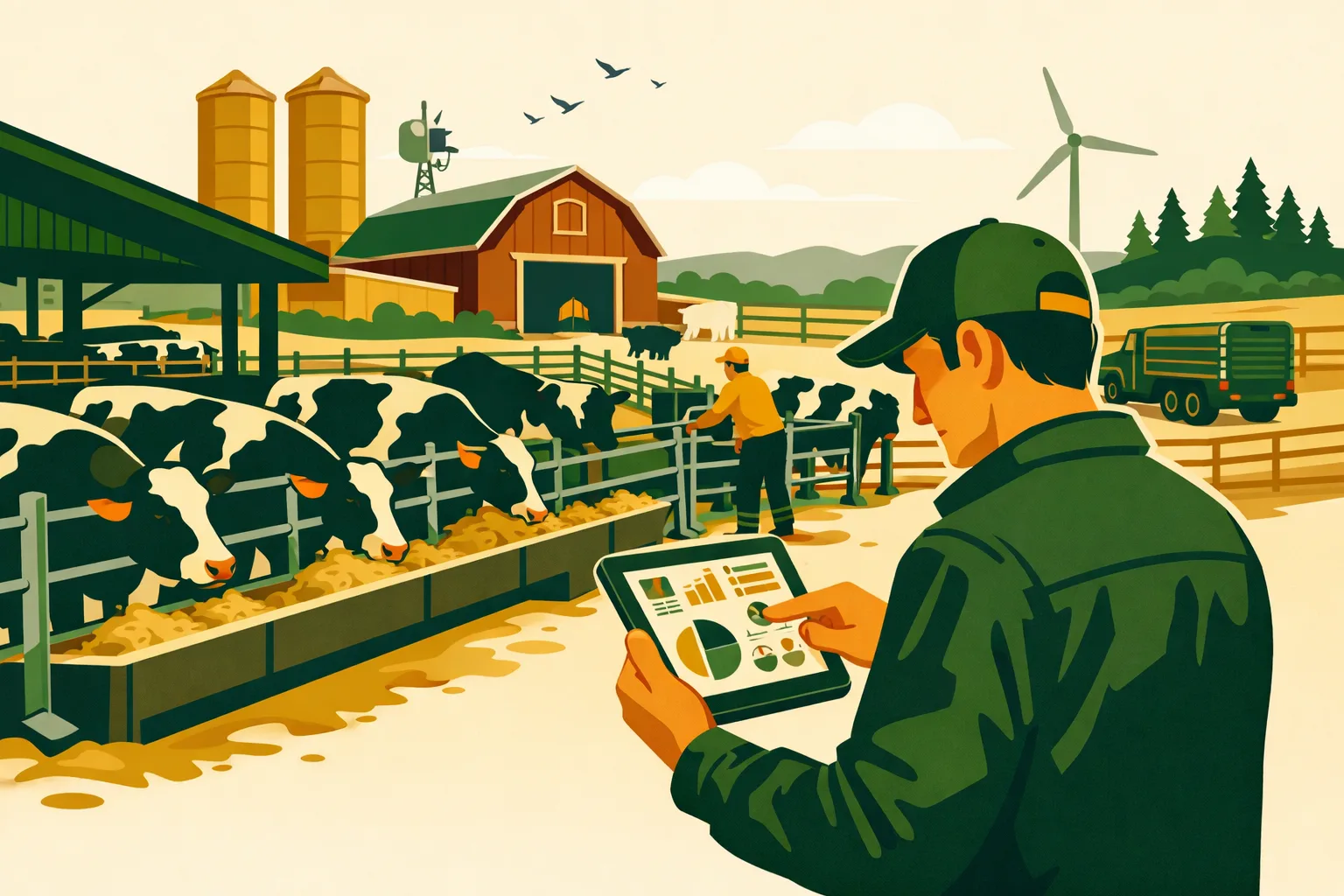
A missed heat, an unlogged treatment, or a delayed sale decision can cost a commercial cattle operation far more than the price of a software subscription. The larger the herd, the harder it becomes to run clean records from memory, notebooks, whiteboards, text messages, and spreadsheets. When pasture moves, treatments, breeding dates, weights, purchases, sales, labor notes, and compliance records live in different places, managers lose time and visibility exactly when decisions need to be fast.
Cattle manager software gives farm operators a single operating system for herd records, task execution, performance tracking, and team accountability. For cow-calf, stocker, backgrounding, feedlot, seedstock, and mixed livestock-crop operations, the right platform can turn scattered information into daily management decisions.
Below are five field-tested ways cattle manager software can improve commercial farm operations in 2026, plus practical implementation steps, budgeting considerations, and a checklist for selecting the right system.
What Cattle Manager Software Does for Commercial Operations
Cattle manager software is a digital system used to record, track, analyze, and manage cattle data across the herd. At farm scale, it usually covers animal identification, breeding, calving, health, weights, movements, treatments, inventory, sales, compliance documentation, and reporting.
For a small operation, software may simply replace a notebook. For a 500-head, 2,000-head, or multi-site cattle business, it becomes the coordination layer between owners, managers, herdsmen, veterinarians, bookkeepers, buyers, and field staff.
Common features include:
- Individual animal and group records
- EID/RFID integration
- Breeding and pregnancy tracking
- Calving records
- Treatment and withdrawal tracking
- Vaccination records
- Weight gain and performance history
- Pasture and pen movements
- Sale and purchase records
- Inventory and input tracking
- Task lists and reminders
- Mobile data entry from the field
- Compliance and audit reports
- Team permissions and user logs
- Dashboards for operational decision-making
If you manage other parts of the farm digitally, cattle software should connect with your broader operating structure. For related technology planning, see the FarmsFlo software category and farm operations resources.
Reason 1: Cleaner Herd Records That Actually Support Decisions
The first major benefit of cattle manager software is not simply “better records.” Better records only matter if they drive better management.
On many cattle farms, records exist, but they are fragmented. One employee keeps pasture moves in a notebook. Another tracks treatments on a phone. Weights may be in chute software. Sales records live in accounting files. Breeding notes are on a calendar or spreadsheet. When the manager needs to answer a basic question, the data has to be hunted down and reconciled.
Cattle manager software solves that by giving every animal or group a structured history.
What Better Records Look Like in Practice
For commercial cattle operations, useful records answer questions like:
- Which cows failed to breed on time?
- Which calves came from the most productive cow families?
- Which pasture group had the highest treatment rate?
- Which purchased cattle group underperformed after arrival?
- Which sires are producing calves that meet market goals?
- Which animals are still inside a withdrawal period?
- Which calves are ready for a preconditioning protocol?
- Which cows should be culled before winter feed costs rise?
- Which groups are close to target sale weight?
- Which animals lack complete documentation?
With paper or spreadsheets, these questions can take hours. With well-used cattle manager software, they can often be answered during a morning planning meeting.
Individual Animal Records vs. Group Records
Not every operation needs the same record depth. A seedstock herd typically requires individual animal records with pedigree, breeding, calving, EPD-related notes, and performance detail. A stocker or backgrounding operation may rely more heavily on group-level data such as arrival weight, treatment rate, feed program, pasture movement, and sale outcome.
A good cattle manager software platform should allow both.
For example:
- Cow-calf: cow ID, calf ID, calving date, birth ease, breed-back status, weaning weight
- Stocker: purchase group, source, arrival treatments, turnout pasture, gains, sale date
- Feedlot: pen, ration changes, health events, pulls, weights, closeout data
- Seedstock: pedigree, breeding records, calving interval, customer records, sale catalog support
Before choosing a system, define whether your operation needs individual records, group records, or both. Many commercial farms need a hybrid approach.
Time and Cost Impact
The time savings depend on herd size and record complexity, but the strongest gain usually comes from reducing duplicate entry and end-of-day cleanup.
Typical time areas reduced:
- Re-entering chute records into spreadsheets
- Searching for treatment history
- Reconciling breeding and calving notes
- Preparing sale or veterinary reports
- Building cull lists manually
- Tracking missing data across employees
Budgeting expectations vary by vendor, herd size, modules, and integrations. Commercial operators should expect some combination of:
- Monthly or annual subscription
- Per-head or per-user pricing
- Setup or onboarding fee
- Hardware costs if adding EID readers, tablets, or rugged devices
- Training time for managers and field staff
For a farm-scale operation, the buying question should not be “What is the cheapest software?” It should be “Will this system reduce management drag and improve the quality of daily decisions?”
Reason 2: Faster Breeding, Calving, and Reproductive Management
Reproduction is the engine of a cow-calf business. Poor visibility around breeding dates, open cows, late calvers, calving distribution, and bull performance can quietly pull down profitability.
Cattle manager software helps managers track reproductive events in real time instead of rebuilding the story after the season ends.
Breeding Season Tracking
A strong software system lets you record and monitor:
- Breeding groups
- Bull assignments
- AI dates
- Heat observations
- Pregnancy check results
- Open cows
- Expected calving dates
- Calving intervals
- Cleanup bull exposure
- Reproductive failures by group, sire, age, pasture, or management unit
This matters because breeding data is most useful while there is still time to act. If open rates are discovered late, your options are limited. If patterns are identified early, managers can investigate nutrition, bull soundness, heat detection, mineral access, disease exposure, or pasture pressure.
Calving Season Execution
During calving, software helps your team record:
- Calving date
- Calf ID
- Dam ID
- Sire or breeding group
- Birth weight if used
- Calving ease
- Stillbirths
- Twins
- Colostrum or assistance notes
- Health issues
- Mothering problems
- Tagging and processing completion
For large operations, the biggest advantage is team visibility. When one employee tags a calf and another processes it, both can see what has been completed. If a calf needs follow-up, the task does not rely on someone remembering a conversation at the barn.
Building Better Cull Lists
Cull decisions are strongest when they combine reproductive, health, age, disposition, and production data. Cattle manager software can help identify cows that repeatedly underperform.
Potential cull flags include:
- Open at pregnancy check
- Late calver for multiple seasons
- Poor udder or structural issue
- Lost calf
- Assisted calving history
- Poor weaning weight record
- Chronic health issue
- Aggressive temperament
- Age threshold
- Failed to match herd breeding goals
A spreadsheet can track some of this, but it often requires manual sorting and discipline. Software makes cull candidates easier to review before feed, pasture, or winter carrying costs are committed.
Operational Timing Estimate
For a commercial cow-calf operation, setting up breeding and calving workflows may take:
- 2–6 hours to define fields, breeding groups, and calving protocols
- 1–3 days to import or clean existing herd records, depending on data condition
- 1–2 short training sessions for employees entering field data
- One breeding and calving season to refine reports and workflows
The first season requires discipline. By the second season, the value increases because comparison data begins to build.
Reason 3: Better Health Records, Treatment Accuracy, and Compliance
Health records are one of the most practical reasons to invest in cattle manager software. Treatment errors, missing withdrawal dates, incomplete vaccination logs, and inconsistent protocols create operational and marketing risk.
A digital system does not replace veterinary guidance, but it helps ensure protocols are followed and documented.
Treatment Records That Hold Up Under Pressure
At minimum, treatment records should capture:
- Animal or group ID
- Date treated
- Diagnosis or reason for treatment
- Product used
- Dosage
- Route of administration
- Lot or batch number if required by your protocol
- Person administering treatment
- Withdrawal period
- Follow-up date
- Treatment outcome
- Veterinary directive or protocol reference where applicable
In a busy processing day, incomplete records are common when teams rely on paper. With cattle manager software, field staff can enter treatments at the chute, in the pen, or from a mobile device shortly after work is completed.
Withdrawal Tracking
Withdrawal tracking is one of the highest-value health features. If cattle are marketed before withdrawal periods are complete, the consequences can be serious. Software helps flag animals or groups that should not be shipped yet.
A practical setup includes:
- Product withdrawal rules entered into the system
- Automatic withdrawal end dates
- Sale eligibility flags
- Alerts before shipping
- Reports for buyers or internal review
- Manager approval before animals are marked ready for sale
This is especially useful for stocker, backgrounding, dairy-beef, and feedlot operations where animals may be purchased, treated, grouped, regrouped, and sold within compressed timelines.
Veterinary and Audit Readiness
When a veterinarian or program auditor asks for records, the difference between organized digital data and scattered notes is substantial. Software can simplify documentation for:
- Vaccination history
- Treatment logs
- Processing protocols
- Morbidity tracking
- Mortality records
- Biosecurity events
- Animal movement records
- Residue prevention documentation
- Program-specific record requirements
Requirements vary by market, buyer, certification, location, and production model, so managers should align software fields with their veterinarian, marketing agreements, and regulatory obligations.
Health Performance Analysis
The real value comes from spotting patterns. Cattle manager software can help reveal whether health problems are concentrated by:
- Source
- Truckload
- Arrival date
- Pasture
- Pen
- Age class
- Weight class
- Weather event
- Processing protocol
- Employee team
- Vaccine program
- Feed transition
For example, if one purchase source consistently produces higher treatment rates or lower gains, managers can adjust buying decisions. If one pasture group shows recurring respiratory issues after arrival, the team can review handling, stress, water access, or timing.
For more operational planning content, visit FarmsFlo’s livestock resources and farm management guides.
Reason 4: Stronger Weight, Inventory, and Marketing Decisions
Cattle businesses depend on timing. Selling too early may leave gain on the table. Selling too late may add feed cost or miss a market window. Buying cattle without clean intake records makes closeout analysis weak. Guessing inventory across pastures or pens creates risk for both management and accounting.
Cattle manager software helps turn weights and inventory into a usable decision system.
Weight Tracking and Performance
A strong platform should help track:
- Birth weights if relevant
- Weaning weights
- Arrival weights
- Processing weights
- Interim weights
- Sale weights
- Average daily gain
- Weight by pasture, pen, group, source, or sire
- Shrink assumptions where used
- Weight gain trends over time
When connected to a scale head or chute system, cattle manager software can reduce manual entry and improve accuracy. Even when weights are entered manually, storing them in a structured system makes analysis far easier.
Inventory Control Across Pastures, Pens, and Sites
Commercial farms often have cattle spread across multiple units. Without a central system, it is easy for inventory to drift from reality.
Useful inventory functions include:
- Current head count by pasture or pen
- Animal movement history
- Group transfers
- Death loss tracking
- Purchases and sales
- Missing animal reports
- Reconciliation by site
- Ownership splits or custom-grazing groups
- Grazing group history
This matters for labor planning, grazing management, trucking, feed allocation, animal health, and sales. If the manager does not trust inventory numbers, every decision requires a manual count or phone call.
Marketing Readiness
Cattle manager software can support marketing by identifying groups that meet defined criteria:
- Target weight range
- Age or program eligibility
- Completed vaccination protocol
- Withdrawal cleared
- Minimum days on feed or pasture
- Source and history requirements
- Ownership documentation
- Buyer-specific documentation
- Sale lot grouping
The best systems help prepare sale lots from real operating data instead of forcing managers to assemble records at the last minute.
Closeout Reviews
After cattle are sold, managers need to know what worked.
Useful closeout questions include:
- Which source performed best?
- Which pasture or pen produced the highest net result?
- Which health protocol reduced pulls?
- Which weight class bought best?
- Which sale timing produced the strongest return?
- Which genetics fit the market?
- Which groups required excessive labor or treatment?
- Which management unit needs adjustment?
Software does not guarantee profit. It gives managers cleaner evidence for the next decision.
Reason 5: More Accountable Teams and Less Operational Friction
As farms scale, management problems often become communication problems. One person knows which cattle moved. Another knows which vaccine was used. Someone else knows which gate needs repair. A manager has the plan, but the crew is operating from text chains and memory.
Cattle manager software can reduce friction by turning daily work into assigned, visible tasks.
Task Management for Livestock Crews
Useful cattle task workflows include:
- Pregnancy check schedule
- Vaccination days
- Preconditioning protocol steps
- Pasture rotation reminders
- Weaning tasks
- Calving checks
- Bull turnout and removal dates
- Recheck sick animals
- Move cattle to handling facility
- Repair waterers, fences, gates, and corrals
- Prepare shipping documentation
- Count and reconcile groups
- Schedule veterinary visits
The best systems connect tasks to animal records, groups, pastures, or facilities. That prevents generic to-do lists from becoming disconnected from actual herd management.
Role-Based Access
On larger farms, not every employee needs full access to financials, herd history, or reports. Software should allow role-based permissions.
Examples:
- Owner: full visibility
- General manager: operations and reporting
- Herd manager: animal records, tasks, health, movements
- Employee: assigned tasks and field entry
- Veterinarian: health records and protocols as approved
- Bookkeeper: purchase, sale, and inventory summaries
- Consultant: read-only performance reports
Access control matters when seasonal employees, multiple managers, family members, or outside advisors are involved.
Mobile Use in Real Conditions
Farm software must work where cattle work happens. Before buying, test the mobile experience.
Ask:
- Can employees enter data from the chute, pasture, or barn?
- Does the system work with weak or intermittent connectivity?
- Is the interface usable with gloves, dust, sun glare, and fast-paced work?
- Can photos, notes, or documents be attached?
- Is offline entry available?
- How does data sync when service returns?
- Can multiple employees work at the same time without creating duplicate records?
A system that only works from an office computer will not capture enough real-time data for a modern cattle operation.
Training Expectations
Training is often the difference between a successful software rollout and a failed one.
For most commercial operations, plan for:
- 1 manager-level setup session
- 1 workflow design meeting
- 1 employee training session before field use
- 1 follow-up session after the first major workday
- A written standard operating procedure for data entry
- One person responsible for data quality
Keep early workflows simple. If the crew is overwhelmed, they will fall back to notebooks and text messages.
Paper, Spreadsheets, and Cattle Manager Software Compared
The right tool depends on herd size, complexity, labor structure, and record requirements. For commercial operations, the tradeoffs become clearer as more people and more cattle are involved.
| Record System | Best Fit | Strengths | Weaknesses | Farm-Scale Risk |
|---|---|---|---|---|
| Paper notebooks and whiteboards | Very small or temporary workflows | Simple, low cost, no device needed | Hard to search, easy to lose, weak reporting, poor team visibility | High risk of missed treatments, lost history, and inconsistent decisions |
| Spreadsheets | Small to mid-size herds with disciplined admin | Flexible, inexpensive, familiar | Manual entry, version control problems, limited mobile use, weak task management | Data errors grow as herd size, staff, and sites increase |
| Chute-only records | Operations focused mainly on processing events | Fast capture during working days, may connect to scales/EID | Limited planning, task, health, and management context | Good event data may remain disconnected from daily decisions |
| Cattle manager software | Commercial herds needing daily visibility | Central records, mobile entry, reporting, tasks, compliance support | Requires setup, training, and consistent use | Lower operational friction when implemented well |
| Full enterprise farm ERP | Large multi-entity operations with advanced accounting and integrations | Broad business visibility, finance integration, multi-site structure | Higher cost, complexity, longer implementation | Valuable if the operation has staff capacity to manage it |
For many 50- to 5,000-plus-acre operations, cattle manager software is the practical middle ground: more structured than spreadsheets, less cumbersome than a full enterprise system.
How to Choose Cattle Manager Software for a Commercial Farm
Buying software should start with your operation’s workflow, not a feature list. A platform can look impressive in a demo and still fail if it does not match how your cattle, people, and facilities actually operate.
Define Your Operating Model First
Document the basics before contacting vendors:
- Herd type: cow-calf, stocker, feedlot, seedstock, dairy-beef, mixed
- Approximate head count by season
- Number of sites, pastures, pens, and handling facilities
- Number of people entering data
- Current record systems
- EID/RFID use
- Scale and chute equipment
- Veterinary protocols
- Buyer or program record requirements
- Accounting or inventory reporting needs
- Connectivity limitations
- Languages or training needs for employees
This helps you compare systems against your real operation instead of generic sales claims.
Must-Have Features to Evaluate
For most commercial cattle farms, prioritize:
- Fast animal or group lookup
- Mobile-first data entry
- EID/RFID compatibility
- Health treatment and withdrawal tracking
- Breeding and calving workflows
- Group movement tracking
- Weight records and performance reporting
- Task assignment and reminders
- User permissions
- Custom fields and tags
- Exportable reports
- Offline capability if needed
- Customer support and onboarding
- Data ownership and export options
If a vendor cannot clearly explain how your existing records will be imported and how you can export data later, proceed carefully.
Integration Questions
Ask about integration with:
- RFID readers
- Scale indicators
- Chute systems
- Accounting software
- Mapping or pasture systems
- Feed management systems
- Veterinary record workflows
- Compliance or certification reporting
- Mobile devices already used by your team
Not every farm needs every integration on day one. The key is avoiding a dead-end system that cannot grow with the operation.
Cost Planning
Common software cost categories include:
- Subscription or license fees
- Per-head pricing
- Per-user pricing
- Setup and onboarding
- Data import or cleanup
- Training
- Hardware upgrades
- Support plan
- Custom reporting
- Integrations
Also budget internal labor. A realistic implementation may require:
- 4–12 management hours for selection and workflow design
- 4–20 hours for record cleanup, depending on existing data quality
- 1–3 hours per employee for initial training
- Extra time during the first processing day
- Weekly review time during the first 60–90 days
Do not judge software cost without estimating management time saved, risk reduced, and decisions improved.
Practical Checklist: Implementing Cattle Manager Software Without Disrupting the Farm
Use this action list to roll out cattle manager software in a way your crew can actually maintain.
Pre-Implementation Checklist
- Assign one internal project owner.
- Define the top three problems the software must solve.
- Decide whether records will be individual, group-based, or both.
- Clean current animal IDs, group names, pasture names, and pen names.
- Standardize naming conventions before import.
- Identify required health, breeding, calving, and sale fields.
- Confirm EID/RFID and scale equipment compatibility.
- Review mobile connectivity at barns, chutes, pastures, and remote sites.
- Decide which employees need access and what permissions they need.
- Create a short data-entry standard operating procedure.
- Schedule training before the next major cattle working event.
- Run a small pilot group before converting the whole herd.
- Verify reports before relying on them for sale, treatment, or compliance decisions.
- Set a weekly data quality review for the first 60 days.
- Remove duplicate record systems once the software is trusted.
First 30 Days
Focus on core records only:
- Animal or group inventory
- Location
- Health events
- Treatments and withdrawals
- Breeding or calving events if in season
- Movements
- Assigned tasks
Avoid building too many custom fields at once. The goal is adoption.
First 60 Days
Add decision reports:
- Open cows
- Late calvers
- Treatment history
- Withdrawal status
- Weight groups
- Sale candidates
- Pasture inventory
- Missing data reports
Start using the software in weekly management meetings.
First 90 Days
Refine and standardize:
- Review employee usage
- Remove duplicate spreadsheets
- Improve reports
- Add integrations
- Adjust permissions
- Build seasonal workflows
- Document what worked and what needs correction
A 90-day rollout gives the team enough time to build the habit while still keeping the project accountable.
Common Mistakes to Avoid
Software fails most often because the implementation is treated as an IT purchase instead of an operations change.
Mistake 1: Digitizing Bad Records Without Cleaning Them
If animal IDs are duplicated, pasture names are inconsistent, and old records are incomplete, importing them as-is creates confusion. Clean the data before migration.
Mistake 2: Making Data Entry Too Complicated
A perfect record system that employees will not use is not useful. Start with the fields that directly affect management, compliance, and profitability.
Mistake 3: Skipping Crew Training
Do not assume employees will “figure it out.” Train around real workflows: treating a sick calf, moving a group, recording a calving event, or preparing cattle for shipment.
Mistake 4: Keeping Parallel Systems Forever
During the transition, some duplicate records may be necessary. Long term, running notebooks, spreadsheets, texts, and software at the same time creates conflict. Decide when the software becomes the source of truth.
Mistake 5: Ignoring Data Ownership
Before signing, confirm that you can export your records in a usable format. Your cattle history is a business asset.
What to Measure After Adoption
To know whether cattle manager software is working, track operational indicators that matter to your farm.
Useful measures include:
- Time required to prepare sale records
- Treatment record completeness
- Number of animals with missing IDs or locations
- Speed of finding animal history
- Accuracy of pasture or pen inventory
- Number of overdue tasks
- Completeness of calving records
- Time required to build cull lists
- Confidence in withdrawal reports
- Reduction in duplicate data entry
- Staff adoption rate
These are practical management signals. If the software is not improving visibility or reducing friction, adjust the workflow.
The 2026 Shift: Why Cattle Operations Are Moving Faster Toward Digital Systems
Several pressures are pushing commercial cattle operations toward stronger digital management.
Labor Is Too Valuable for Rework
Farm labor is expensive and limited. Managers cannot afford to have skilled employees spend time rewriting notes, chasing records, or repeating work because information was not shared.
Buyers Want Better Documentation
Many markets increasingly reward documented management, source history, health programs, and traceability. Even when documentation is not mandatory, organized records strengthen buyer confidence.
Margins Require Faster Decisions
Feed, pasture, interest, trucking, health, and replacement costs all pressure margins. When costs move quickly, managers need current data, not records reconstructed weeks later.
Multi-Site Operations Need Central Visibility
Operations with cattle spread across owned land, leased pasture, backgrounding yards, and custom arrangements need a central view of inventory and performance.
Younger Managers Expect Better Tools
The next generation of farm managers is often comfortable with mobile tools, dashboards, and shared systems. Cattle manager software supports a more organized handoff between generations and employees.
How FarmsFlo Helps
FarmsFlo helps commercial farm teams organize operations, streamline daily work, and bring better visibility to management decisions. If your cattle records, tasks, inventory notes, and team communication are spread across notebooks, spreadsheets, and text threads, FarmsFlo gives you a practical way to centralize the work.
With FarmsFlo, farm managers can:
- Track operational tasks across people and locations
- Improve accountability for daily livestock work
- Keep management notes organized
- Coordinate field, facility, and herd-related activity
- Reduce reliance on scattered communication
- Support more consistent farm workflows
For cattle operations evaluating cattle manager software in 2026, FarmsFlo can be part of a broader system for running a more organized, accountable farm business.
Start by identifying the workflows that cost your team the most time: treatments, pasture moves, breeding records, calving notes, sale prep, or task follow-up. Then test whether your current system can handle those workflows cleanly at scale.
Ready to simplify farm operations? Try FarmsFlo and see how it can help your team work from one organized system: start a FarmsFlo trial at farmsflo.com.