5 Farm Management Programs That Actually Simplify Operations in 2026
Discover 5 farm management programs that actually simplify operations in 2026 — whole-farm platforms, field records, equipment, financial tools, and compliance.
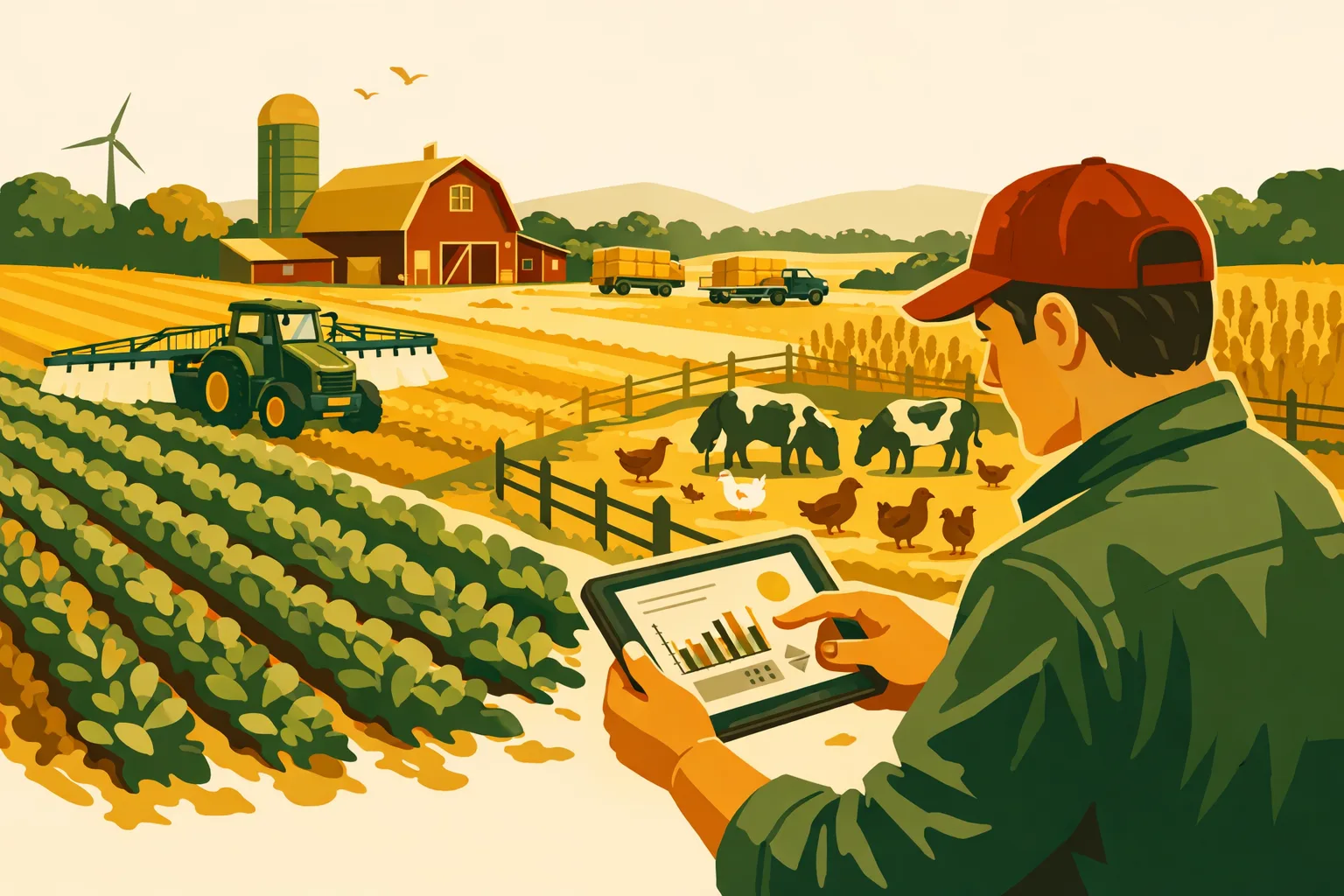
Most operational drag on a commercial farm does not come from one bad decision. It comes from hundreds of small delays: a spray record written twice, a missing service note, a load that was not reconciled, a field task that changed but never reached the crew, or an input order placed without checking inventory. The right software does not farm the acres for you, but it can remove friction from the work your team already does every day.
For farm managers running 50 to 5,000+ acres, the goal is not “more technology.” The goal is fewer loose ends. The best farm management programs for a commercial operation should make planning, execution, records, labor, equipment, and financial decisions easier to manage across the season.
Below are five practical categories of farm management programs that can simplify daily operations in 2026, what they are best used for, where they can fall short, and how to choose the right fit for your farm.
What Farm Management Programs Need to Do on a Commercial Operation
Farm management programs should help turn field activity into usable information without creating more office work. At farm scale, the software has to support fast decisions, multiple users, changing weather windows, and the reality that not every person on the crew wants to spend time inside an app.
A useful program should help you answer questions like:
- What work is scheduled today, and who is doing it?
- Which fields are ready, delayed, sprayed, irrigated, harvested, or invoiced?
- What inputs have been applied, at what rate, and where?
- Is the equipment ready for the next operation?
- What is in inventory, what has been ordered, and what is short?
- Which jobs are completed, partially completed, or waiting on approval?
- Are field records complete enough for compliance, insurance, lender, landlord, and management needs?
If a system cannot support those practical questions, it may be more of a reporting tool than an operations tool.
For more farm software planning resources, see the FarmsFlo software category and operations resources.
1. Whole-Farm Operations Platforms
A whole-farm operations platform is the central system for managing tasks, field activity, records, people, and operational visibility. This type of program is usually the best starting point when a farm has outgrown spreadsheets, paper notebooks, whiteboards, text threads, or disconnected software.
These platforms are designed to bring the daily operating picture into one place. That may include field plans, work orders, scouting notes, spray records, harvest progress, employee task lists, equipment assignments, and operational reporting.
Where Whole-Farm Platforms Simplify Operations
A strong whole-farm platform reduces the number of places your team has to check before starting work. Instead of information being split between the office, shop, agronomist, and crew phones, everyone works from the same updated plan.
This is especially useful for farms managing:
- Multiple crops
- Multiple crews
- Spread-out fields
- Custom application or custom harvest work
- Seasonal employees
- Landlord reporting
- Organic, sustainability, or regulated production records
- High-value crops with detailed task requirements
The practical benefit is coordination. When planting, spraying, irrigating, mowing, harvesting, hauling, and maintenance are all competing for attention, the farm manager needs one live view of what is happening.
Common Features to Look For
When evaluating whole-farm farm management programs, look for features that support actual workflow:
- Field maps and field lists
- Task creation and crew assignment
- Mobile access for employees
- Work order status updates
- Input and application records
- Equipment assignment
- Notes, photos, and attachments
- Alerts or reminders
- User permissions
- Reporting by field, crop, employee, or job
- Exportable records for compliance and analysis
Avoid choosing a platform only because it has the longest feature list. A simpler program that your crew uses consistently is usually more valuable than an advanced program that only the office understands.
Cost and Time Estimate
Planning ranges will vary by vendor, acres, modules, and user count, but here is a practical implementation estimate for a commercial farm:
| Item | Typical Planning Range |
|---|---|
| Initial setup time | 10–40 staff hours |
| Field and crop data cleanup | 4–20 hours |
| Crew training | 1–3 sessions |
| First-season adjustment period | 30–90 days |
| Ongoing admin time | 1–3 hours per week |
The hidden cost is usually not the subscription. It is the time required to clean up field names, user roles, crop plans, and historical records. Budget for that work upfront.
Where This Type Can Fall Short
A whole-farm platform can fail if the farm tries to implement every feature at once. That often overwhelms employees and creates resistance.
A better rollout is phased:
- Start with field lists and task management.
- Add mobile updates from the crew.
- Add input and application records.
- Add equipment or inventory workflows.
- Add reporting and analysis once the data is reliable.
Whole-farm platforms are the right choice when your main pain point is operational coordination.
2. Field Recordkeeping and Crop Planning Programs
Field recordkeeping programs focus on crop plans, field histories, input applications, compliance records, scouting data, and yield results. These tools are especially valuable for farms that need clean records for pesticide use, nutrient plans, crop insurance, certification, processor requirements, landlord reports, or internal cost analysis.
For many row crop, specialty crop, forage, and diversified commercial operations, field recordkeeping is where software first pays off in reduced office work.
Where Field Programs Simplify Operations
Field records become difficult to manage when they are captured after the fact. If a sprayer operator writes notes on paper, the office enters them later, and the manager checks them weeks afterward, errors are likely.
A good field recordkeeping program shortens that chain. The operator or manager can record work closer to when it happens, often with field, date, rate, product, weather, and equipment details tied together.
This helps with:
- Spray records
- Fertilizer applications
- Seeding and planting records
- Field scouting observations
- Irrigation or water events
- Harvest records
- Crop rotation history
- Restricted-use pesticide documentation
- Organic or sustainability audit preparation
For crop production planning topics, see FarmsFlo’s crop-livestock category.
What to Evaluate Before Buying
Field recordkeeping programs vary widely. Some are built for agronomists, some for producers, some for compliance-heavy specialty crops, and some for precision agriculture data.
Before choosing one, evaluate:
- Does it work offline in low-signal fields?
- Can operators enter records from a phone or tablet?
- Does it support your crops and application types?
- Can it handle tank mixes and product rates?
- Can records be corrected without destroying the audit trail?
- Can you export records in usable formats?
- Does it integrate with equipment monitors, agronomist tools, or accounting systems?
- Can you report by field, crop, product, date range, or operator?
The program should match the way work is actually completed. If your sprayer operator will not enter a full record from the cab, design the workflow so the operator captures the essentials and the office completes the record later.
Cost and Time Estimate
A practical setup estimate:
| Item | Typical Planning Range |
|---|---|
| Field boundary and crop setup | 4–16 hours |
| Product list setup | 2–10 hours |
| Historical record import | Optional; 5–30+ hours |
| Operator training | 1–2 sessions |
| Record review process | 30–60 minutes weekly in season |
If the farm uses multiple agronomists, custom applicators, or crop consultants, allow extra time to agree on naming conventions. “North 80,” “N80,” and “Smith North” may all mean the same field to people, but software needs consistency.
Where This Type Can Fall Short
Field recordkeeping programs are not always strong at crew coordination, equipment repair tracking, or financial workflows. If your main issue is daily execution across people and machines, a field record tool alone may not solve the problem.
They are best when your main goal is accurate crop and application records.
3. Labor, Task, and Crew Management Programs
Labor and task management programs are built to answer a simple question: who is doing what, where, and when?
This category matters more as farms grow, rely on seasonal workers, operate multiple crews, or manage time-sensitive tasks across many fields. Labor is one of the hardest areas to manage with memory, texts, and paper because conditions change quickly.
A crew may start the day harvesting one block, shift to another after a breakdown, move to irrigation repairs after lunch, and finish with equipment cleanup. If those changes are not captured, the office loses track of labor allocation and job status.
Where Labor Programs Simplify Operations
Labor and task programs help managers assign work, communicate changes, track completion, and review productivity. On farms with multiple supervisors, they also reduce duplicate instructions.
Useful workflows include:
- Daily work plans
- Crew assignments by field or block
- Job start and completion status
- Time tracking by task
- Notes from supervisors
- Photos of completed work or field issues
- Repeating task templates
- Safety or compliance reminders
- Approval workflows for completed jobs
For farms with harvest crews, livestock feed crews, irrigation teams, packing operations, or custom work crews, this type of software can reduce morning confusion and end-of-day paperwork.
What to Look For
A labor program should be easy enough for supervisors and crew leads to use under time pressure. If it requires too many taps, too much typing, or constant cell service, adoption will suffer.
Evaluate:
- Mobile usability
- Offline mode
- Multilingual support if needed
- Role-based access
- Time clock or labor hour tracking
- Job costing support
- Task templates
- Photo and note capture
- Integration with payroll or accounting
- Simple dashboards for managers
The best setup is often task-first, not data-first. Start by replacing the daily clipboard or text chain with a shared job list. Once that works, add labor tracking or costing.
Cost and Time Estimate
Implementation is usually less about technical setup and more about employee training.
| Item | Typical Planning Range |
|---|---|
| Task template setup | 2–8 hours |
| User and crew setup | 1–6 hours |
| Supervisor training | 1–2 sessions |
| Crew rollout | 15–45 minutes per crew |
| Daily manager review | 10–20 minutes |
If the program includes payroll or timekeeping integration, expect additional setup and verification time.
Where This Type Can Fall Short
Labor programs may not provide deep crop records, input tracking, or equipment service history. They can simplify daily management but may need to connect with a broader farm operations system.
They are best when your farm’s biggest bottleneck is labor coordination, task communication, or time tracking.
4. Equipment Maintenance and Asset Management Programs
Equipment maintenance programs help farms track service schedules, repair history, parts, inspections, downtime, and machine assignments. For operations with multiple tractors, sprayers, combines, trucks, irrigation engines, loaders, and implements, equipment records can become scattered fast.
A breakdown during a narrow planting, spraying, or harvest window is costly even when the repair itself is minor. The value of equipment software is not only in recording repairs. It is in preventing missed service and giving managers a better view of fleet readiness.
Where Equipment Programs Simplify Operations
A farm equipment maintenance program can centralize:
- Service intervals
- Oil and filter changes
- Tire and track notes
- Inspection checklists
- Repair history
- Parts used
- Downtime notes
- Warranty information
- Assigned operator
- Pre-season readiness checks
- Winter maintenance plans
For farms that run older equipment, multiple brands, or several seasonal operators, written service history can prevent repeated troubleshooting and missed maintenance.
For related operational guidance, see FarmsFlo’s operations category.
What to Look For
The best maintenance program for a farm does not need to be complicated. It needs to be used consistently by the shop, operators, and management.
Evaluate:
- Easy equipment profile setup
- Hour and mileage tracking
- Preventive maintenance reminders
- Work order creation
- Parts inventory connection
- Photos and notes
- Mobile access from the shop or field
- Service history by asset
- Inspection checklist templates
- Downtime tracking
- Exportable repair reports
A strong system should help the shop answer, “What needs attention before we go to the field?” and help management answer, “Which machines are costing us the most time and repairs?”
Cost and Time Estimate
Setup depends on fleet size and how much historical data you want to enter.
| Item | Typical Planning Range |
|---|---|
| Asset list setup | 2–12 hours |
| Service interval setup | 2–8 hours |
| Historical repair entry | Optional; 5–40+ hours |
| Shop training | 1–2 sessions |
| Weekly maintenance review | 20–60 minutes |
For a large fleet, do not try to enter every historical repair before using the system. Start with active equipment, current hours, service intervals, and known open issues.
Where This Type Can Fall Short
Equipment programs may not handle crop plans, field records, or crew tasks well. They are often strongest as a shop and asset tool.
They are best when downtime, missed maintenance, poor repair visibility, or parts confusion are creating operational drag.
5. Inventory, Procurement, and Farm Financial Programs
Inventory and procurement programs help farms manage inputs, supplies, parts, fuel, harvested crop, purchase orders, vendor records, and sometimes cost allocation. Farm financial programs may include budgeting, enterprise analysis, accounting integrations, payroll, invoicing, and profitability tracking.
This category can deliver major management value when input costs, storage, purchasing, and job costing are difficult to track.
Where Inventory and Financial Programs Simplify Operations
On a commercial farm, inventory problems usually show up at the worst possible time. The chemical is not on hand. The fertilizer order does not match the plan. The part was used but not reordered. The fuel tank is lower than expected. The harvested crop inventory does not match tickets.
Software can help by connecting purchasing, usage, and reporting.
Common workflows include:
- Seed inventory
- Chemical inventory
- Fertilizer inventory
- Fuel tracking
- Parts inventory
- Purchase orders
- Vendor management
- Work order costing
- Field-level cost tracking
- Harvest inventory
- Sales contracts
- Invoice matching
- Budget versus actual reporting
For operations managing multiple crops or enterprises, this type of program can help separate costs by field, crop, block, herd, or customer.
What to Look For
Inventory and finance tools need clean workflows. If inventory is updated only once a month, it will not help managers make daily decisions.
Evaluate:
- Input inventory by product and location
- Lot or batch tracking if needed
- Purchase order workflow
- Receiving process
- Usage tied to field records or work orders
- Parts reorder alerts
- Fuel tracking
- Integration with accounting software
- Budgeting by crop or enterprise
- Reports that match management needs
- User controls for purchasing approvals
Do not overlook permissions. The person who records product use may not be the same person who approves purchases or reviews financial reports.
Cost and Time Estimate
This category can take longer to implement because inventory and financial data must be accurate.
| Item | Typical Planning Range |
|---|---|
| Product and vendor setup | 4–20 hours |
| Opening inventory count | Half day to several days |
| Accounting integration setup | 4–20+ hours |
| Staff training | 1–3 sessions |
| Monthly reconciliation | 1–4 hours |
The opening inventory count is the practical hurdle. If the farm has multiple chemical sheds, fertilizer storage, parts rooms, fuel tanks, and harvested crop storage, assign a specific person and deadline for count verification.
Where This Type Can Fall Short
Inventory and financial programs can become too office-centered. If field activity does not flow into inventory usage, the system may require duplicate entry.
They are best when purchasing, input tracking, cost allocation, or financial visibility is the main problem.
Comparison Table: Which Farm Management Program Fits Your Operation?
Use this table to narrow your options before sitting through vendor demos.
| Program Type | Best Fit | Main Benefit | Watch-Out | Typical Rollout Priority |
|---|---|---|---|---|
| Whole-farm operations platform | Farms needing one system for tasks, fields, crews, and records | Centralized operational visibility | Can overwhelm staff if rolled out too broadly | Start with tasks and field activity |
| Field recordkeeping and crop planning | Farms needing accurate crop, spray, nutrient, and compliance records | Cleaner records and easier reporting | May not manage labor or equipment deeply | Start before the busy application season |
| Labor, task, and crew management | Farms with multiple crews, seasonal labor, or changing daily plans | Better work coordination | Adoption depends on supervisor use | Start with daily task lists |
| Equipment maintenance and asset management | Farms with complex fleets or recurring downtime | Better preventive maintenance and repair history | May stay isolated from field operations | Start with active equipment and service intervals |
| Inventory, procurement, and financial programs | Farms managing large input purchases, parts, fuel, or enterprise budgets | Better purchasing and cost control | Requires accurate counts and disciplined updates | Start with high-value inputs and parts |
How to Choose Farm Management Programs Without Creating More Work
The right software should reduce management load, not move it into a different format. Before buying, define the exact operational pain you are trying to solve.
A common mistake is asking, “What software has the most features?” A better question is, “Which system will our team use correctly during the busiest week of the year?”
Start With the Operational Bottleneck
Choose the first program based on your largest source of friction.
Examples:
- If spray records are late or incomplete, start with field recordkeeping.
- If crews are confused each morning, start with labor and task management.
- If machines are missing service, start with equipment maintenance.
- If input purchasing is reactive, start with inventory and procurement.
- If no one has a clear view of the whole operation, start with a whole-farm platform.
The first implementation should create a visible win. That builds trust before expanding into more advanced workflows.
Map Your Current Workflow Before Watching Demos
Before talking to vendors, write down how work currently moves through the farm.
For example, a spray job may follow this path:
- Agronomist recommends treatment.
- Manager approves field list.
- Product availability is checked.
- Sprayer operator receives instructions.
- Weather conditions are checked.
- Application is completed.
- Record is written.
- Inventory is updated.
- Manager reviews completed work.
- Compliance record is filed.
That workflow shows what the software must support. It also reveals where duplicate entry or missed communication happens now.
Test With Real Farm Scenarios
Do not evaluate farm management programs with generic demo data only. Use your actual scenarios:
- A field split across two landlords
- A partial spray job stopped by wind
- A machine breakdown during planting
- A crew reassignment after rain
- A product substitution
- A custom job that needs invoicing
- A field with different crop histories
- A seasonal employee with limited permissions
Ask the vendor to show how those situations work inside the program. If the answer requires too many manual workarounds, keep looking.
Practical Checklist: Selecting and Rolling Out Farm Management Programs
Use this checklist before purchasing or implementing a new program.
Selection Checklist
- Define the top three operational problems you want to solve.
- Identify who will use the program daily, weekly, and seasonally.
- List required records: spray, fertilizer, labor, equipment, inventory, compliance, financial.
- Confirm mobile access works for your field conditions.
- Ask whether offline mode is available.
- Review user permissions and role controls.
- Check export options for reports and records.
- Confirm whether integrations are required or optional.
- Ask about setup support and training.
- Clarify pricing structure: acres, users, modules, support, implementation, or custom quote.
- Request a demo using your real farm scenarios.
- Talk through how data is backed up and owned.
- Decide who on the farm will be the internal software lead.
Rollout Checklist
- Clean up field names and boundaries before launch.
- Standardize crop, product, equipment, and employee naming.
- Start with one or two workflows, not every feature.
- Train managers and supervisors first.
- Run the system in parallel with your old process for a short transition period.
- Review usage weekly during the first month.
- Fix confusing workflows quickly.
- Set a deadline to stop duplicate paper or spreadsheet entry.
- Create a simple process for support requests from staff.
- Review results after the first major field operation.
Implementation Plan for a 50–5,000+ Acre Farm
A practical rollout does not need to take a full year. It does need clear ownership.
Week 1: Define the Scope
Choose one operational area to improve first. Assign one person as project lead. This person does not have to be the owner, but they need authority to make workflow decisions.
Tasks for week one:
- Identify the primary workflow.
- Select the fields, crops, equipment, or crews included in the first rollout.
- Decide what data needs to be loaded.
- Create a list of required users.
- Schedule training dates.
Expected time: 2–6 management hours.
Weeks 2–3: Clean the Data
This is where many farm software projects succeed or fail. Clean data makes the program easier to use.
Focus on:
- Field names
- Field acres
- Crop names
- Equipment names
- Employee names
- Product names
- Storage locations
- Vendor names
Expected time: 4–20 hours depending on farm complexity.
Week 4: Train the Core Team
Train only the people involved in the first workflow. Keep it practical.
A useful training session should cover:
- Logging in
- Finding assigned work
- Updating job status
- Adding notes or photos
- Correcting errors
- Asking for help
- Reviewing completed work
Expected time: 1–2 hours per group.
First 30 Days: Review and Adjust
During the first month, review usage weekly. Look for friction:
- Are employees logging in?
- Are tasks being completed in the system?
- Are records accurate?
- Are managers still using texts or paper as the main process?
- Are reports useful?
- Is duplicate entry happening?
Expected time: 30–60 minutes per weekly review.
After 60–90 Days: Expand Carefully
Once the first workflow is stable, add another.
Good expansion options include:
- Add equipment service reminders.
- Add inventory usage.
- Add reporting by crop or field.
- Add seasonal employees.
- Add work order approvals.
- Add compliance exports.
- Add accounting or payroll integration.
Do not expand until the first workflow is working reliably.
Red Flags When Evaluating Farm Management Programs
Software demos can look polished. Farm operations are messier. Watch for these warning signs before committing.
The Program Requires Too Much Office Entry
If every field activity must be re-entered by the office, the program may not reduce work. Look for ways to capture information from the field or import it from connected systems.
Mobile Use Is Weak
Farm employees need to update work from trucks, cabs, shops, fields, bins, barns, and sheds. If the mobile experience is poor, adoption will be poor.
The System Cannot Handle Partial Work
Farm work is often interrupted. Rain, wind, breakdowns, labor shortages, and product delays all create partial completion. The program should handle work that is started, paused, changed, and finished later.
Reporting Looks Good but Does Not Match Your Needs
Pretty dashboards are not enough. Reports should help with real decisions and required documentation.
Ask for reports by:
- Field
- Crop
- Operation
- Employee
- Equipment
- Product
- Date range
- Landlord
- Customer
- Enterprise
Pricing Is Unclear
Ask for the full cost structure before signing:
- Subscription
- Setup
- Training
- Support
- Data import
- Integrations
- Additional users
- Additional modules
- Cancellation terms
A lower starting price can become expensive if core features require extra modules.
Farm Management Programs and AI in 2026
AI is becoming more common in farm software, but commercial operators should evaluate it carefully. The useful question is not whether a program has AI. The useful question is whether it saves time or improves decisions without reducing control.
Practical AI uses may include:
- Summarizing field notes
- Flagging missing records
- Drafting task lists
- Searching historical records
- Identifying unusual costs or delays
- Helping managers review completed work
- Creating reports from existing data
Be cautious with AI features that make recommendations without clear data sources, agronomic context, or manager approval. Farm decisions still need local knowledge, crop experience, and accountability.
A good AI-supported farm management program should keep the manager in control and make routine review faster.
How to Measure Whether the Program Is Working
After the first season or major workflow cycle, evaluate whether the software has simplified operations.
Use practical measures:
- Are records completed sooner?
- Are fewer tasks missed?
- Are managers spending less time chasing updates?
- Are employees clear on daily assignments?
- Are equipment service items easier to track?
- Are input orders better aligned with actual needs?
- Are reports easier to produce?
- Are fewer spreadsheets being maintained?
- Is the team using one source of truth?
You do not need perfect data immediately. You need better operational control than you had before.
If the farm is still running the old process and the new software side by side after several months, address that directly. Either the workflow needs adjustment, the team needs training, or the program is not the right fit.
Common Mistakes to Avoid
Buying Before Defining the Workflow
Do not buy software because another farm uses it. Your crop mix, labor structure, equipment fleet, compliance needs, and management style may be different.
Implementing During the Busiest Week
Avoid launching a major system during planting, peak spray season, harvest, or shipping crunch unless the old system is failing badly. Prepare before the busy season.
Giving Everyone the Same Access
Use permissions. Seasonal employees, equipment operators, supervisors, office staff, and owners do not all need the same access.
Ignoring the Shop and Field Crews
Software selected only by the office may fail in the field. Include the people who will use it under real conditions.
Keeping Duplicate Systems Forever
A short transition period is reasonable. Permanent duplication creates more work and weakens trust in the software.
How FarmsFlo Helps
FarmsFlo is built for commercial farm operators who need practical, streamlined control over daily operations without adding unnecessary complexity. If your farm is relying on spreadsheets, whiteboards, text messages, and scattered records, FarmsFlo helps bring the work into one organized system.
With FarmsFlo, farm managers can simplify:
- Field and job planning
- Crew coordination
- Task tracking
- Operational records
- Workflow visibility
- Communication between office and field
- Management follow-up during busy seasons
The goal is straightforward: help your team know what needs to happen, where it needs to happen, who is responsible, and what has already been completed.
If you are comparing farm management programs for 2026, include FarmsFlo in your evaluation. Start with one workflow, test it with your actual farm scenarios, and see how much daily friction you can remove.
Visit farmsflo.com to start a trial and see how FarmsFlo can help simplify your farm operations.