5 Farm Business Management Software Features Farmers Actually Need in 2026
Explore five critical features of farm business management software that can transform your farm operations in 2026.
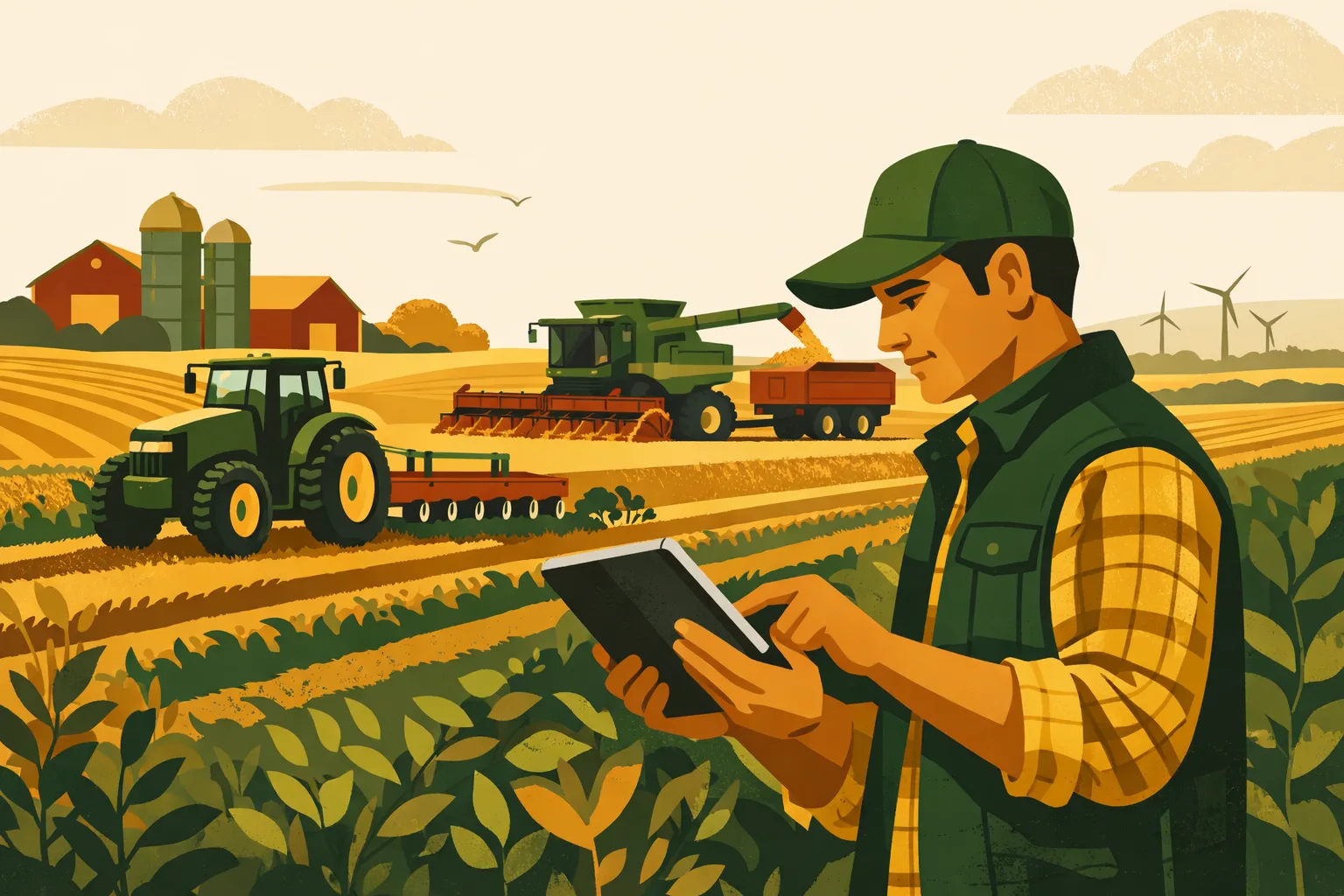
A farm can lose money long before the crop comes off, the calves ship, or the invoice gets paid. The problem usually is not a lack of effort. It is delayed information: costs entered weeks late, field records scattered across notebooks and spreadsheets, employee tasks handled by text messages, inventory guessed instead of counted, and financial decisions made from last month’s numbers. For commercial farms, the right software should reduce that lag and turn daily work into usable management information.
Farm business management software is not valuable because it is “digital.” It is valuable when it helps operators make faster, better decisions across acres, labor, equipment, inputs, inventory, and finances.
For farms running 50 to 5,000+ acres, the essential question is simple: does the software make the operation easier to manage, or does it become one more thing to manage?
This guide breaks down the features that provide tangible benefits in farm-scale operations, what to avoid, what implementation typically takes, and how to evaluate software before committing.
What Farm Business Management Software Should Actually Do
Farm business management software should connect production work with business decisions.
That means it should help you answer questions like:
- What did each field, crop, herd, or enterprise actually cost?
- Which jobs are finished, late, or waiting on weather, labor, or parts?
- How much chemical, seed, feed, fertilizer, fuel, or packaging is on hand?
- Which equipment is costing too much downtime?
- Are records ready for crop insurance, audits, lender reviews, or internal planning?
- What work needs to happen this week, and who owns it?
- Are margins changing before the season is over?
A good system does not need to replace every specialized tool on the farm. Many operations already use accounting software, payroll systems, precision ag platforms, grain marketing tools, ERP systems, or equipment telematics. The best farm management setup often connects those tools into a practical operating workflow.
For more operational software guidance, see FarmsFlo’s software category.
Feature 1: Field, Crop, and Enterprise-Level Cost Tracking
If a farm cannot see costs by field, crop, block, herd, flock, greenhouse range, or enterprise, management decisions stay too broad. Farm profit is rarely uniform across the whole operation. One crop may subsidize another. One rented farm may look profitable until hauling, fertility correction, irrigation, or extra passes are included. One livestock group may tie up more labor and feed than expected.
Farm business management software should let operators track costs where decisions are made.
What This Feature Should Include
At minimum, software should support:
- Field, block, pasture, barn, herd, flock, or enterprise profiles
- Crop year or production cycle records
- Input applications with product, rate, cost, and date
- Labor allocation by task or location
- Equipment hours or machine cost allocation
- Custom cost categories
- Budget vs. actual comparisons
- Notes, attachments, and supporting records
- Yield, output, or revenue linkage when available
For crop operations, this usually means cost per acre, cost per field, cost per crop, and cost per bushel, bale, ton, hundredweight, or carton where yield data is available.
For livestock and mixed operations, it may mean cost per head, per group, per pound of gain, per dozen, per gallon, per pen, or per production batch.
Why It Matters at Farm Scale
Broad financial statements are useful, but they usually arrive too late and too aggregated to guide operational changes.
Enterprise-level cost tracking helps answer questions such as:
- Should we keep renting this field?
- Is the high-yield field also the highest-margin field?
- Are custom application costs increasing faster than expected?
- Which crops are carrying the most chemical, fertilizer, or irrigation expense?
- Are we underpricing custom work, direct sales, or contract production?
- Which enterprise deserves more acres, labor, or capital next year?
The benefit is practical: better allocation of land, labor, equipment, and working capital.
What to Avoid
Avoid systems that only provide general expense categories without farm-specific production units. If software can show total fertilizer expense but cannot tie that expense to field, crop, or season, it is not giving farm managers enough detail.
Also avoid platforms where cost tracking requires excessive manual entry. If every invoice, task, and input application must be retyped multiple times, adoption will fail during busy seasons.
Implementation Time and Cost Expectations
For a 500- to 2,000-acre operation, building the first usable cost-tracking structure often takes:
- Initial setup: 4 to 12 hours
- Chart of accounts or category cleanup: 2 to 8 hours
- Field or enterprise setup: 2 to 10 hours, depending on complexity
- Training for managers and office staff: 1 to 3 sessions
- Ongoing data entry: 15 to 45 minutes per day during active seasons, less if integrated with accounting or task records
Cost varies widely. Basic software may start with a monthly subscription. More advanced systems with accounting integrations, onboarding, or custom setup may require higher monthly fees plus implementation services. The key is not the lowest subscription price; it is whether the system saves management time and improves margin decisions.
Feature 2: Work Orders, Task Management, and Labor Visibility
Farm work moves fast. Planting, spraying, irrigating, feeding, calving, harvesting, pruning, packing, maintenance, and hauling all depend on timing and coordination. A whiteboard and group texts may work for a small crew, but they become fragile when the operation grows, adds locations, or runs multiple crews.
Farm business management software should provide a clear operating plan: what needs to be done, where, when, by whom, and with what equipment or inputs.
What Task Management Should Look Like
A farm-scale task system should include:
- Work orders by field, barn, shop, route, crop, or enterprise
- Assigned employees or crews
- Due dates, priority levels, and completion status
- Input requirements
- Equipment requirements
- Safety notes or standard operating procedures
- Photos and attachments
- Mobile access from the field
- Offline capability where service is unreliable
- Time tracking or labor notes
- Repeatable task templates
This is different from generic project management software. Farm tasks need to connect with field records, equipment, inventory, weather delays, compliance documentation, and production calendars.
Tangible Benefits
A useful work order system reduces the number of things managers must keep in their heads.
Benefits include:
- Fewer missed jobs
- Less duplicated work
- Better communication between office and field crews
- Faster onboarding for seasonal employees
- More accurate labor allocation
- Cleaner spray, irrigation, maintenance, harvest, and livestock records
- Clearer accountability without constant phone calls
For farms with multiple locations or crews, labor visibility is often one of the fastest wins. Managers can see what is complete without chasing updates all day.
Farm Labor Use Cases
Common examples include:
Row Crop and Grain Operations
- Assign tillage passes by field
- Track planting progress
- Schedule spray jobs based on crop stage and weather windows
- Coordinate grain cart, trucking, and bin assignments
- Record maintenance tasks before harvest
Produce, Orchard, and Specialty Crop Operations
- Assign pruning, thinning, scouting, irrigation, harvest, and packing tasks
- Track crew progress by block
- Document food safety activities
- Coordinate harvest labor with market, cooler, and shipping schedules
Livestock and Mixed Farms
- Assign feeding, bedding, health checks, breeding tasks, and pen moves
- Track treatment records
- Schedule manure hauling
- Coordinate feed deliveries and equipment maintenance
What to Avoid
Avoid task tools that are not easy to use from a phone. If crew leaders cannot update jobs in the field, the system becomes an office-only planning tool and quickly falls behind.
Also be cautious with tools that require too many clicks for basic completion. During planting or harvest, a task system must be fast enough to use in real time.
Practical Setup Estimate
A farm can usually implement basic task management faster than full financial tracking.
Typical timeline:
- Task category setup: 1 to 3 hours
- Employee and role setup: 1 to 2 hours
- Mobile training: 30 to 60 minutes per crew
- Template creation: 2 to 6 hours
- Pilot period: 1 to 2 weeks with one crew or enterprise
- Full rollout: 2 to 6 weeks depending on operation size
The best approach is to start with high-frequency tasks: daily livestock work, weekly maintenance, spray work orders, irrigation checks, harvest logistics, or shop repairs.
For more process-focused farm management resources, visit FarmsFlo’s farm management category.
Feature 3: Inventory, Input, and Procurement Management
Input costs are too significant to manage by memory. Seed, fertilizer, crop protection products, fuel, feed, animal health products, packaging, parts, and supplies all affect cash flow and production timing. Running short at the wrong time can cost more than the product itself. Overstocking ties up working capital and increases shrink, spoilage, obsolescence, or storage risk.
Farm business management software should give operators a working view of inventory: what is on hand, where it is located, what it cost, where it was used, and what needs to be reordered.
Core Inventory Functions
A farm-ready inventory module should support:
- Product lists with units of measure
- Storage locations
- Lot or batch numbers where needed
- Purchase records
- Supplier records
- Cost per unit
- Inventory adjustments
- Usage tied to tasks, fields, herds, flocks, or enterprises
- Reorder points
- Expiration dates for applicable products
- Restricted-use or compliance-related notes
- Mobile updates from the shop, chemical shed, feed room, or warehouse
Why Inventory Matters Beyond Counting
Inventory management is not just about knowing how many jugs, bags, totes, pallets, tons, or gallons are on hand.
It also improves:
- Cash flow planning: Know upcoming input purchases before invoices arrive.
- Job readiness: Make sure supplies are available before assigning work.
- Cost accuracy: Tie actual input cost to production units.
- Waste reduction: Use older or expiring product first.
- Compliance: Maintain better records for chemical, animal health, food safety, and audit requirements.
- Purchasing leverage: Compare suppliers and purchase timing with better information.
Example: Chemical Inventory
A crop operation managing herbicides, fungicides, insecticides, adjuvants, and micronutrients should be able to:
- Record purchases by product, supplier, date, quantity, and cost.
- Assign products to storage locations.
- Deduct inventory when a spray job is completed.
- Tie usage to field records.
- Maintain application documentation.
- Flag low inventory before the next planned pass.
- Review product cost by crop and season.
Without this connection, inventory and field records drift apart.
Example: Feed and Livestock Supplies
A livestock operation may use inventory features to track:
- Purchased feed
- Homegrown feed transfers
- Mineral and supplements
- Bedding
- Veterinary products
- Tags and handling supplies
- Semen or breeding supplies
- Fuel and equipment parts
This allows better monitoring of cost per group, feed efficiency discussions, and purchasing needs.
Inventory Software Comparison Table
| Feature Area | Spreadsheet or Whiteboard | Generic Business Software | Farm Business Management Software |
|---|---|---|---|
| Field or herd-level input usage | Manual and easy to miss | Usually not built in | Built around production units |
| Mobile inventory updates | Limited | Sometimes available | Should be standard |
| Chemical/feed/product units | Requires custom setup | May not handle farm units well | Designed for gallons, tons, bags, totes, acres, head, etc. |
| Link to work orders | No | Limited | Strong when designed properly |
| Reorder visibility | Manual | Available in some systems | Useful when tied to seasonal work |
| Compliance records | Manual file storage | Generic attachments | Better if linked to application/treatment records |
| Cost allocation | Time-consuming | Possible with customization | Should connect directly to enterprises |
| Best fit | Very small or low-complexity operations | Office inventory only | Commercial farms managing inputs across production activities |
What to Avoid
Avoid inventory systems that cannot handle the way farms use units. If the software struggles with partial totes, tons, gallons, pounds, acres treated, feed batches, or product conversions, staff will work around it.
Also avoid systems that separate inventory from work. Inventory should not be a standalone list. It should connect to purchases, tasks, applications, feeding, maintenance, and cost tracking.
Time and Cost Expectations
Inventory implementation can be quick or complex depending on how clean your current records are.
Typical setup ranges:
- Small commercial farm with limited inputs: 4 to 8 hours
- Mid-size diversified farm: 10 to 25 hours
- Large multi-site operation: 25+ hours, especially if barcoding, lot tracking, integrations, or permissions are needed
The biggest time requirement is usually the first physical count and product list cleanup. Plan to do this during a slower operational window, not during planting, harvest, or peak livestock workload.
For related planning content, see FarmsFlo’s operations resources.
Feature 4: Financial Dashboards, Budgets, and Cash Flow Tools
Farm managers do not need flashy dashboards. They need reliable numbers that support decisions while there is still time to act.
A strong farm business management software platform should translate daily records into financial visibility. It should not replace sound accounting, tax planning, or lender relationships, but it should give operators a practical view of budgets, actuals, cash needs, and enterprise performance.
What Financial Features Matter
Look for tools that provide:
- Crop, herd, or enterprise budgets
- Budget vs. actual tracking
- Cash flow projections
- Accounts payable visibility
- Accounts receivable visibility
- Input purchase planning
- Loan, lease, and capital expense tracking
- Cost per acre, head, unit, or production batch
- Margin by enterprise
- Scenario planning
- Exportable reports for lenders, advisors, or ownership groups
- Integration or clean export to accounting software
The software should help managers move from “What did we spend?” to “What will this decision do to margin and cash flow?”
Budgeting That Fits Farm Reality
A farm budget needs flexibility. Weather, markets, labor availability, pest pressure, disease, equipment breakdowns, and contract changes can all shift the plan.
Useful software should allow you to revise assumptions such as:
- Fertilizer rates
- Seed cost
- Chemical program cost
- Irrigation cost
- Fuel use
- Labor hours
- Custom hire
- Trucking
- Storage
- Feed cost
- Expected yield
- Market price
- Rent
- Interest expense
- Repairs and maintenance
The goal is not perfect prediction. The goal is faster adjustment.
Cash Flow Visibility
Cash flow problems often come from timing. A farm may be profitable on paper but still face cash pressure if expenses land months before revenue.
Software should help forecast:
- Major input purchases
- Payroll periods
- Rent payments
- Loan payments
- Equipment repairs
- Fuel purchases
- Harvest expenses
- Livestock feed needs
- Insurance premiums
- Expected sales receipts
- Government program payments, if applicable
- Contract payments
- Seasonal borrowing needs
A simple rolling cash flow report can be more useful than a complicated dashboard that no one trusts.
Lender and Ownership Reporting
Commercial farms often need to share information with:
- Lenders
- Landlords
- Business partners
- Family ownership groups
- Accountants
- Crop insurance agents
- Production advisors
- Board or management teams
Farm business management software should make it easier to produce clear, consistent reports without spending days pulling numbers from multiple systems.
Useful reports include:
- Enterprise budgets
- Actual cost by field or enterprise
- Inventory valuation
- Work in progress
- Projected cash flow
- Capital purchase plans
- Equipment cost summaries
- Production summaries
- Compliance documentation
What to Avoid
Avoid dashboards that look impressive but are not connected to real records. A graph is only useful if the underlying data is current and accurate.
Also avoid platforms that force the farm into rigid financial categories that do not match your operation. Software should adapt to your enterprise structure, not the other way around.
Cost and Time Estimates
Financial setup usually requires involvement from the owner, manager, bookkeeper, accountant, or controller.
Typical setup:
- Budget template creation: 3 to 10 hours
- Accounting category mapping: 4 to 12 hours
- Historical data import or entry: 4 to 20+ hours
- Report setup: 2 to 8 hours
- Monthly review routine: 1 to 3 hours per month once running
Larger operations with multiple entities, ownership structures, or enterprises should expect a more formal implementation process.
For more business-focused resources, visit FarmsFlo’s finance category.
Feature 5: Mobile Records, Compliance, and Audit-Ready Documentation
Recordkeeping is one of the most practical reasons to use farm business management software. Farm records are needed for management, but they are also needed for compliance, insurance, certifications, employee accountability, food safety, organic programs, animal health protocols, restricted-use applications, traceability, and lender review.
The problem is that records often get created after the fact. That leads to missing details, inconsistent notes, and extra office work.
The best system captures records as close to the work as possible.
Records That Should Be Mobile-Friendly
Depending on the operation, mobile recordkeeping may include:
- Field activities
- Spray applications
- Fertilizer applications
- Planting records
- Irrigation checks
- Scouting notes
- Harvest records
- Equipment inspections
- Maintenance logs
- Fuel usage
- Livestock treatments
- Feeding records
- Mortality records
- Employee training
- Safety checks
- Food safety logs
- Cooler or storage temperature checks
- Cleaning and sanitation records
- Loadout and delivery notes
If a record starts in the field, barn, shop, chemical shed, cooler, or truck, software should make it easy to enter there.
Compliance Is Easier When It Is Built Into Daily Work
Compliance recordkeeping becomes expensive when it is separate from operations. If a spray job is assigned in one system, completed by text, written on paper, entered into a spreadsheet, and filed later for audit purposes, the same work is being handled multiple times.
A better workflow is:
- Manager creates the work order.
- Applicator completes the job in the field.
- Product, rate, field, date, operator, and conditions are recorded.
- Inventory is deducted.
- Cost is assigned.
- Record is stored and reportable.
The same principle applies to livestock treatments, food safety checks, harvest lots, maintenance inspections, and employee training.
Offline Access Matters
Many farm locations still have unreliable mobile service. Software used for field records should either work offline or have a practical fallback process.
Before choosing a platform, test:
- Can employees view assigned tasks without service?
- Can they enter records offline?
- Does the app sync reliably later?
- Are duplicate records created during sync?
- Are photos and attachments preserved?
- Can managers tell whether a record is pending or fully synced?
This is not a minor detail. If the app fails in low-service areas, employees will return to paper or text messages.
Data Ownership and Permissions
Commercial farms should pay attention to data controls.
Ask vendors:
- Who owns the farm’s data?
- Can the farm export records if it leaves the platform?
- What formats are available for export?
- Can employee permissions be limited by role?
- Can seasonal workers access only the tasks they need?
- Can sensitive financial information be restricted?
- Is there an audit trail for record changes?
- How are backups handled?
Farm software should improve control over information, not scatter it across more systems.
What to Avoid
Avoid software that requires office staff to re-enter field records. Also avoid systems where exporting records is difficult or expensive.
If records matter for compliance, insurance, or certification, test the reporting process before committing. Do not assume the system can generate the exact records you need.
Practical Checklist: How to Evaluate Farm Business Management Software
Use this checklist before buying or switching platforms.
1. Define the Management Problem
- What is currently costing the most time?
- Where are records late, incomplete, or duplicated?
- Which decisions lack accurate data?
- What reports are hardest to produce?
- Which teams need better coordination?
- What software is already in use?
Do not start with features. Start with operational pain points.
2. Map Your Farm Structure
Document:
- Legal entities
- Locations
- Fields, blocks, barns, pastures, pens, or facilities
- Crops or enterprises
- Equipment groups
- Employee roles
- Storage locations
- Major suppliers
- Major customers or market channels
- Reporting needs
This helps determine whether a platform can match your operation.
3. Prioritize Must-Have Features
For most commercial farms, prioritize:
- Cost tracking by field, crop, herd, or enterprise
- Work orders and task management
- Inventory and input usage
- Budget and cash flow visibility
- Mobile records and compliance documentation
Avoid paying for advanced features if the basics are weak.
4. Test Real Workflows
Ask for a trial or demo using your actual examples:
- Create a spray job.
- Assign a harvest crew.
- Record a livestock treatment.
- Enter a fertilizer purchase.
- Deduct inventory.
- Allocate labor.
- Pull an enterprise cost report.
- Export records.
- Restrict permissions for a seasonal employee.
A sales demo is not enough. Test farm-specific workflows.
5. Review Integration Needs
List current systems:
- Accounting software
- Payroll
- Precision ag tools
- Equipment telematics
- Irrigation systems
- Grain accounting or merchandising tools
- ERP or inventory systems
- Food safety or traceability systems
- Bank feeds
- Spreadsheets
Then decide which integrations are essential and which can be handled by clean imports or exports.
6. Estimate Implementation Requirements
Plan for:
- Data cleanup
- Field or enterprise setup
- Product list setup
- Employee setup
- Permissions
- Training
- Report configuration
- Pilot testing
- Seasonal timing
Do not roll out a major software change during the busiest operational window unless the old system is failing badly.
7. Assign Internal Ownership
Every successful software rollout needs a farm-side owner.
That person should:
- Make setup decisions
- Coordinate training
- Maintain data quality
- Answer employee questions
- Work with the vendor
- Review reports
- Adjust workflows after the pilot period
Software adoption fails when no one owns the process.
8. Set a Review Date
After 60 to 90 days, review:
- Are employees using it?
- Are records more complete?
- Are managers saving time?
- Are costs easier to see?
- Are reports accurate?
- What workflows need simplification?
- Should the rollout expand, pause, or change?
Treat implementation as an operating improvement, not just an IT purchase.
Common Mistakes When Choosing Farm Business Management Software
Choosing software is not only about finding the longest feature list. Many farms struggle because they select tools that do not fit their workflow, staff, or management priorities.
Mistake 1: Buying Before Defining the Problem
A platform may have strong capabilities, but if it does not solve the farm’s main bottleneck, adoption will fade. Start with the highest-value problems: cost visibility, work coordination, inventory control, reporting, or compliance.
Mistake 2: Overcomplicating the First Rollout
Trying to digitize everything at once can overwhelm employees and create messy data. Start with one or two workflows that matter and expand from there.
Good starting points include:
- Maintenance work orders
- Spray records
- Daily livestock tasks
- Inventory counts
- Field cost tracking
- Harvest crew assignments
- Budget vs. actual reporting
Mistake 3: Ignoring Mobile Usability
If the people doing the work cannot use the system quickly, records will not be current. Mobile usability should be tested by crew leaders, operators, applicators, mechanics, and office staff—not just owners.
Mistake 4: Treating Software as a Bookkeeping Replacement
Farm business management software can improve financial visibility, but it does not replace accounting discipline. The strongest setups connect operations with financial review. They produce better information for accountants, lenders, and managers.
Mistake 5: Failing to Clean Up Data
Old field names, duplicate product names, inconsistent units, inactive employees, and unclear categories create poor reports. Spend time cleaning core data before full rollout.
Mistake 6: Not Training Seasonal Labor
Seasonal employees often handle critical field, harvest, packing, or livestock tasks. If they are expected to use the system, training must be simple, role-specific, and repeated as needed.
What to Expect During the First Season
The first season with new software should be treated as a learning period. The goal is not perfection. The goal is to build reliable routines.
First 30 Days
Focus on setup and adoption:
- Confirm fields, enterprises, employees, equipment, and inventory lists
- Train managers and crew leaders
- Run one or two pilot workflows
- Check mobile access
- Review data quality weekly
- Simplify forms where possible
Days 31 to 90
Focus on consistency:
- Expand to more tasks or enterprises
- Begin reviewing cost and labor reports
- Compare inventory records with physical counts
- Correct duplicate products or categories
- Adjust permissions
- Build standard reports
After 90 Days
Focus on management use:
- Review budget vs. actual
- Identify high-cost fields or enterprises
- Improve work order templates
- Use records for compliance or insurance needs
- Prepare lender or ownership reports
- Decide which workflows to add next
A realistic first-season expectation is better visibility, fewer missing records, and more consistent task management. Deep financial insights usually improve as more complete data accumulates.
Buying Criteria for 2026
As farm technology matures, operators should be more selective. In 2026, farm business management software should not require farms to choose between field usability and business reporting. It should support both.
Non-Negotiable Criteria
Look for:
- Farm-specific cost tracking
- Mobile task and record entry
- Practical inventory management
- Budgeting and cash flow tools
- Exportable reports
- Strong permission controls
- Responsive support
- Clear pricing
- Data export options
- Scalable setup for additional acres, enterprises, locations, or users
Nice-to-Have Criteria
Depending on the farm, these may be valuable:
- Accounting integrations
- Precision ag data imports
- Equipment telematics connections
- Barcode or QR inventory tools
- Lot traceability
- Custom forms
- API access
- Advanced reporting
- Multi-entity management
- Advisor or accountant access
Red Flags
Be cautious if:
- The vendor cannot explain farm-specific workflows.
- The platform depends heavily on manual re-entry.
- Mobile use is weak.
- Data exports are limited.
- Permissions are too broad.
- Reports cannot be customized enough.
- Pricing is unclear.
- Setup requirements are minimized unrealistically.
- Support is only generic technical help, not workflow guidance.
How to Calculate Return on Software
Not every benefit can be measured precisely, but farms should still estimate value before purchasing.
Consider potential savings from:
- Reduced office data entry
- Fewer missed or duplicated jobs
- Better input purchasing
- Lower inventory shrink
- Improved labor allocation
- Faster reporting
- Better lender communication
- More accurate enterprise decisions
- Reduced compliance preparation time
- Earlier detection of cost overruns
Also include the cost of implementation:
- Subscription fees
- Setup fees
- Staff training time
- Data cleanup time
- Process changes
- Possible device upgrades
- Ongoing administration
A practical test: if the software helps prevent one major management mistake, improves timing on key tasks, or gives managers clearer enterprise margins, the value can exceed the subscription cost. But that only happens when the software is actually used.
How FarmsFlo Helps
FarmsFlo is built for commercial farm operators who need practical control over daily work, records, costs, and decisions. Instead of forcing managers to piece together notebooks, texts, spreadsheets, and disconnected tools, FarmsFlo helps centralize the operational information that keeps a farm moving.
With FarmsFlo, farms can manage work, improve visibility, organize records, and create more consistent processes across teams and enterprises. The goal is simple: help operators spend less time chasing information and more time managing the business.
If you are evaluating farm business management software for 2026, start with the workflows that matter most: tasks, records, costs, inventory, and reporting. Then test whether the platform can handle the way your farm actually operates.
Try FarmsFlo and see how it fits your operation: start a trial at farmsflo.com.