3 Tested Farm Management Apps Actually Simplifying Operations in 2026
Discover how 3 farm management apps are actually simplifying farm operations in 2026 with real-world use cases.
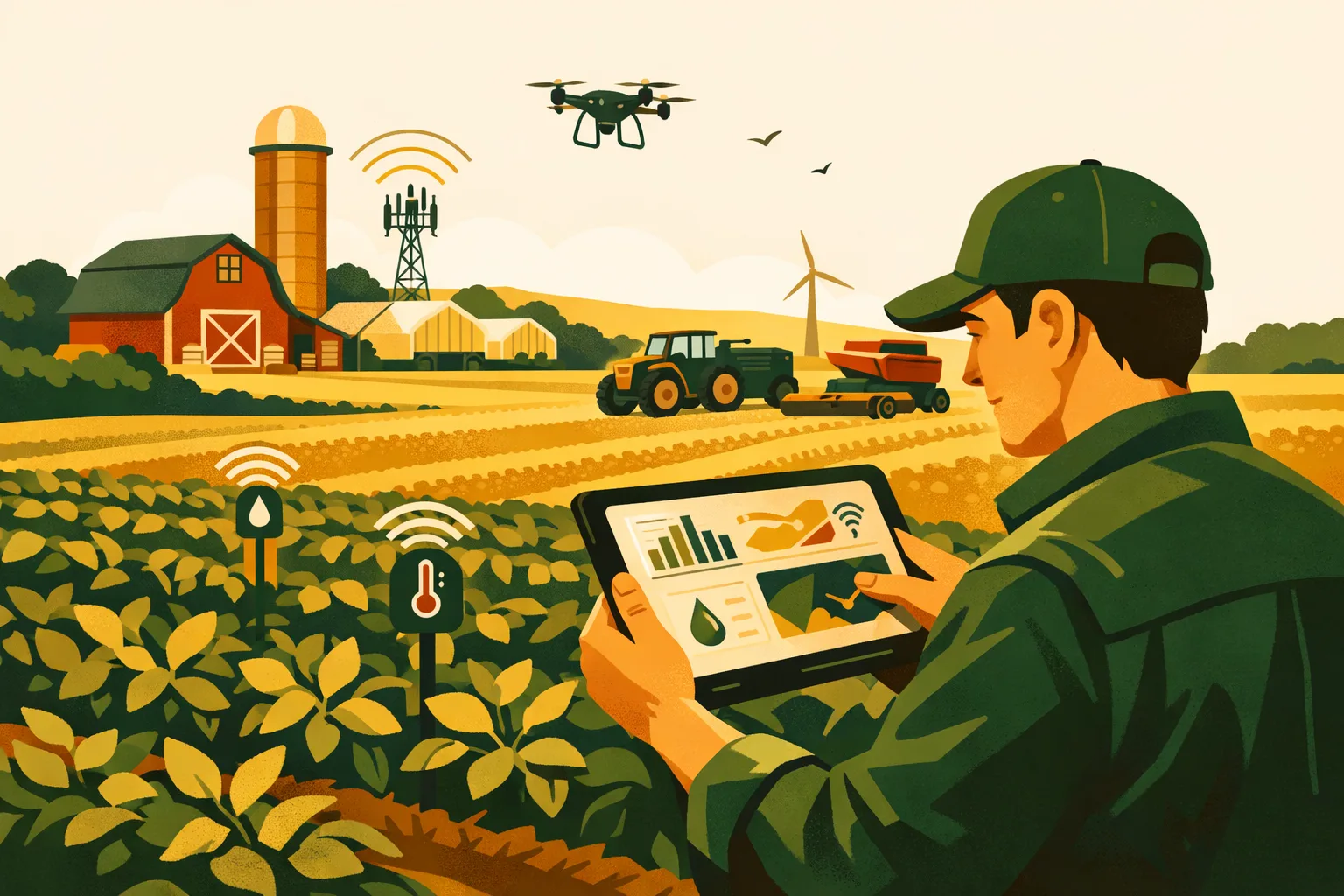
Margins are tighter, labor is harder to coordinate, and the farm office is no longer a desk in one building. A useful digital system has to work from the pickup, the shop, the field edge, and the payroll meeting — without turning every employee into a data-entry clerk. The right platform should reduce missed tasks, improve field records, and make decisions faster. The wrong one becomes another login nobody trusts.
For this guide, we looked at three commercial-ready farm management apps that are genuinely helping operators simplify daily operations in 2026: Agworld, Farmbrite, and John Deere Operations Center. Each serves a different type of farm, and each has clear strengths and tradeoffs.
This is not a generic app roundup. The focus is farm-scale usability: field records, team coordination, input tracking, machinery data, compliance documentation, and whether the software can survive real working conditions across 50 to 5,000+ acres.
If you are comparing systems for your operation, also see FarmsFlo’s related resources in the software category, farm operations guides, and farm management resources.
What Makes a Farm Management App Worth Using in 2026?
A farm management app should do more than store records. At commercial scale, it needs to connect people, fields, inputs, equipment, and financial decisions.
A practical farm management app should help with:
- Field-level planning and activity records
- Work orders and task assignments
- Spray, fertilizer, planting, harvest, and irrigation logs
- Inventory tracking for seed, chemical, fertilizer, feed, fuel, or supplies
- Equipment and machinery activity records
- Maps, field boundaries, and field history
- Compliance documentation
- Labor coordination
- Reporting for lenders, landlords, agronomists, crop insurers, buyers, and internal management
- Mobile access for field teams
- Offline or low-connectivity workflows where needed
The best fit depends on your operation type. A grain farm running mostly John Deere equipment has different needs than a mixed crop-livestock operation or a high-value specialty crop farm with heavy labor tracking and food safety documentation.
The Biggest Mistake: Buying Features Instead of Fixing Workflow
Many farms shop software by asking, “What can this app do?”
A better question is:
“Which part of our operation is costing us time, money, or accuracy right now?”
For example:
- If spray records are late or incomplete, prioritize chemical application documentation.
- If employees are unsure what to do each morning, prioritize task assignment and work orders.
- If input costs are hard to calculate by field, prioritize inventory and cost tracking.
- If machine data is scattered across monitors, USB drives, and notebooks, prioritize equipment data integration.
- If you manage custom work, landlords, compliance audits, or produce traceability, prioritize reporting.
No farm management app fixes a poorly defined process. The software should simplify the process you actually use — not force the whole farm into a system built for a different operation.
Quick Comparison: Agworld vs Farmbrite vs John Deere Operations Center
| Farm Management App | Best Fit | Strongest Use Case | Key Limitation | Setup Time Estimate | Cost Expectation |
|---|---|---|---|---|---|
| Agworld | Crop farms working closely with agronomists, consultants, or field teams | Field planning, agronomy collaboration, activity records, recommendations | Less ideal if you need deep livestock or broad whole-farm accounting tools | 1–4 weeks depending on field count and user training | Subscription pricing; usually quoted based on operation needs |
| Farmbrite | Diversified farms, mixed crop-livestock operations, direct-market farms, and operations needing broad records | Inventory, livestock, crops, tasks, contacts, sales, reporting | May require discipline to configure cleanly for larger row-crop operations | 1–3 weeks for basic setup; longer for complex diversified farms | Public plan-based pricing may be available, but farms should verify current rates |
| John Deere Operations Center | Row-crop and broadacre farms using John Deere equipment or connected machines | Machine data, field maps, planting/spraying/harvest documentation, equipment-centered decisions | Most powerful when your machinery ecosystem is compatible and data is maintained consistently | A few days to several weeks depending on equipment/data history | Core access may be available at no direct cost, with paid connected tools/services depending on dealer and integrations |
App 1: Agworld — Strong for Agronomy-Driven Field Management
Agworld is built around the relationship between growers, agronomists, crop advisors, and field operations teams. It is especially useful where field plans, recommendations, applications, and records need to stay aligned across several people.
For commercial farms that rely on consultants or agronomy staff, this matters. A recommendation sitting in an email is easy to miss. A spray plan on paper can be misread. A scouting note in one person’s phone may never make it into the field record. Agworld aims to keep those decisions connected to specific fields and jobs.
Where Agworld Fits Best
Agworld is a strong fit for:
- Row crop farms with consultant involvement
- Specialty crop operations with frequent agronomic decisions
- Farms needing clean field histories
- Operations where applicators, managers, and agronomists need shared visibility
- Farms that want recommendations, work records, and scouting notes in one system
It is less suited as a standalone whole-farm business platform if your main needs are payroll, full accounting, livestock inventory, or detailed sales management. Its strength is crop production workflow.
What Operators Like in Real Use
Farm managers and agronomists commonly value Agworld because it reduces the gap between planning and execution. Instead of one system for recommendations, another for maps, another for field notes, and another for records, Agworld gives teams a common operating view.
Practical user feedback often centers on:
- Easier communication between growers and advisors
- Cleaner field-level documentation
- Better visibility into what has been recommended versus completed
- More consistent records across multiple fields and staff
- Less dependence on paper notebooks, texts, and spreadsheets
The biggest benefit is not that Agworld has more screens. It is that the people making and carrying out agronomic decisions can work from the same field information.
Useful Features for Commercial Farms
Field Records and Activity Logs
Agworld helps document field activities such as planting, spraying, fertilizer applications, scouting, and harvest-related notes. For commercial farms, this is valuable for:
- Chemical compliance
- Landlord reporting
- Internal cost review
- Crop planning
- Insurance documentation
- Traceability where applicable
Field records become more useful when they are created close to the time work happens. A farm management app that lets staff enter or update records from the field is more likely to produce accurate information than one that relies on memory at the end of the week.
Agronomy Recommendations
Agworld’s recommendation workflow is one of its core strengths. Crop advisors can create recommendations tied to specific fields, products, rates, and timings. Operators can then view, schedule, and record completed work.
This helps reduce:
- Miscommunication on rates
- Forgotten applications
- Confusion over which field received which treatment
- Paperwork delays after busy spray windows
For farms with tight spray windows, this can be one of the highest-value use cases.
Scouting and Field Notes
Field scouting records help preserve observations that often get lost in conversation. Weed pressure, disease pressure, pest thresholds, stand issues, emergence problems, water stress, and nutrient symptoms all have operational consequences.
The value comes from building field history over time. A note from this season may explain a yield issue at harvest or influence next year’s herbicide, fertility, drainage, or variety decision.
Setup and Implementation Estimate
For a commercial farm, expect setup to include:
- Field boundary setup or import
- Crop and season setup
- User accounts for managers, agronomists, applicators, and staff
- Product lists and commonly used inputs
- Workflow decisions for recommendations and completed work
- Basic staff training
Estimated setup time:
- Small commercial operation, 50–500 acres: 1–2 weeks
- Mid-size operation, 500–2,500 acres: 2–4 weeks
- Larger or multi-location operation: 4+ weeks if historical records and multiple users are involved
The biggest implementation risk is not technical setup. It is failing to define who enters records, who approves work, and who reviews completed tasks.
Cost Expectations
Agworld pricing is generally subscription-based and may depend on the size of the operation, number of users, and service model. Farms should request current pricing directly from the vendor or through their agronomy partner.
When budgeting, include:
- Subscription fees
- Time for setup and training
- Staff time for record standardization
- Possible consultant or agronomist involvement
- Ongoing data maintenance
A realistic first-year budget should account for both software cost and labor time. Even if subscription pricing looks manageable, the farm still needs to invest in clean data setup.
Best Use Case Example
A 2,000-acre crop farm uses an independent agronomist and operates with one manager, two full-time employees, and seasonal help. Before adopting a farm management app, recommendations arrive through email, spray records are logged after the fact, and field notes live in several notebooks.
Agworld fits this operation because the main pain point is agronomy coordination. The manager can see recommendations by field, applicators can confirm completed work, and the agronomist can review field history before making the next recommendation.
App 2: Farmbrite — Flexible Whole-Farm Records for Diversified Operations
Farmbrite is broader than a crop-only platform. It supports crops, livestock, inventory, contacts, tasks, equipment, sales, and farm records. That makes it attractive for diversified operations that do not fit neatly into a single commodity software category.
For a mixed farm, a farm management app needs to handle more than acres. It may need to track breeding records, feed inventory, produce harvests, customer orders, equipment maintenance, and employee tasks. Farmbrite attempts to centralize those operational records.
Where Farmbrite Fits Best
Farmbrite is a strong fit for:
- Mixed crop-livestock farms
- Specialty crop farms
- Direct-market and wholesale farms
- Smaller commercial operations expanding into more formal systems
- Farms needing inventory and task management in one platform
- Operations with produce, livestock, supplies, customers, and field records to coordinate
For very large row-crop operations, Farmbrite may require more configuration and discipline than a purpose-built broadacre platform. It can work, but the farm must clearly define how fields, tasks, inputs, and reporting will be structured.
What Operators Like in Real Use
Farmbrite appeals to operators who are tired of running the farm through disconnected spreadsheets. Its practical value is centralization. Users often appreciate being able to manage crops, animals, inventory, contacts, and tasks without jumping across multiple tools.
Common positive feedback includes:
- Broad recordkeeping in one place
- Useful inventory and livestock tracking
- Easier task assignment
- Better organization for diversified farms
- More visibility into daily work and farm assets
The common caution is that flexibility requires setup decisions. If every employee names fields, products, and tasks differently, reporting becomes messy. Farmbrite works best when the farm establishes naming rules and data-entry standards early.
Useful Features for Commercial Farms
Crop and Field Management
Farmbrite supports field and crop records, including planting, harvests, treatments, and production activities. For specialty crop and diversified farms, this can be especially valuable because crops may have different planting dates, harvest windows, yields, and labor needs across many plots or blocks.
A produce operation, for example, may need to know:
- What was planted in each block
- Expected harvest window
- Actual harvest quantity
- Labor assigned
- Inputs used
- Sales or distribution destination
- Field history for rotation planning
A simple notebook cannot reliably manage that complexity at scale.
Livestock Records
Farmbrite’s livestock tools can support animal identification, breeding, health events, weights, treatments, and herd or flock records. For mixed farms, this reduces the need for separate livestock software unless the operation needs highly specialized enterprise tools.
Commercial livestock operators should still evaluate whether Farmbrite’s livestock features match their species, production model, regulatory needs, and scale. A 100-head beef operation and a multi-site dairy have very different recordkeeping requirements.
Inventory Management
Inventory is one of Farmbrite’s practical strengths. Farms lose money when inventory is inaccurate. Too much product ties up cash. Too little causes delays. Poor chemical inventory records can also create compliance risk.
Farmbrite can help track:
- Seed
- Fertilizer
- Chemicals
- Feed
- Supplies
- Harvested products
- Equipment-related parts or materials
For farms still using whiteboards and memory for inventory, this can be a major operational upgrade.
Task and Team Management
Farmbrite includes task management tools that help assign and track work. This is useful for operations with recurring chores, harvest crews, livestock checks, greenhouse work, irrigation tasks, packing shed jobs, or equipment maintenance.
The practical goal is simple: everyone should know what needs to be done, where it needs to be done, and when it is due.
Setup and Implementation Estimate
Farmbrite setup depends heavily on operation complexity.
Basic setup usually includes:
- Farm profile and user accounts
- Fields, blocks, barns, pastures, or production areas
- Crop records
- Livestock groups or individual animals
- Inventory categories
- Equipment records
- Task templates
- Contact lists
- Reporting preferences
Estimated setup time:
- 50–300 acre diversified farm: 1–2 weeks for basic records
- 300–1,500 acre mixed operation: 2–4 weeks
- Larger or complex multi-enterprise operation: 4–8 weeks for clean setup and staff adoption
The more diversified the farm, the more valuable setup planning becomes. Do not load years of messy data before deciding how the system will be used going forward.
Cost Expectations
Farmbrite has offered plan-based pricing, but farms should confirm current pricing directly. Subscription cost may vary by plan, number of users, features, or billing term.
Budget for:
- Monthly or annual software subscription
- Setup time by manager or office staff
- Data cleanup
- Staff training
- Possible process changes for inventory and task tracking
A practical estimate for internal setup labor is 10–40 staff hours for a straightforward commercial farm and 40–100+ staff hours for a complex diversified operation.
Best Use Case Example
A 250-acre diversified farm grows vegetables, runs a small beef herd, sells wholesale, and manages several employees. Records are split between notebooks, spreadsheets, text messages, and accounting software.
Farmbrite fits because the farm needs broad operational organization, not just agronomy records. Management can track crops, animals, inventory, tasks, and contacts in one system while reducing the number of separate spreadsheets.
App 3: John Deere Operations Center — Strong for Equipment-Connected Row Crop Operations
John Deere Operations Center is one of the most recognized digital platforms in broadacre agriculture. It is especially valuable for farms already operating John Deere equipment or using compatible precision agriculture tools.
While it is not a traditional all-purpose farm management app in the same way as Farmbrite, it plays a major role in modern farm operations. For many row-crop farms, machinery data is the operational record. Planting, spraying, harvest, field maps, machine performance, and application data all flow through equipment.
Where John Deere Operations Center Fits Best
John Deere Operations Center is a strong fit for:
- Row-crop farms
- Broadacre operations
- Farms running John Deere planters, sprayers, combines, tractors, or displays
- Operators using precision ag data
- Farms wanting better field maps, machine records, and work documentation
- Multi-machine operations needing visibility across equipment
It is less complete as a standalone business management platform if you need deep accounting, payroll, livestock, produce sales, or general task management. Its strongest value is connected machine and field data.
What Operators Like in Real Use
Operators value John Deere Operations Center because it can reduce manual transfer of machine data and give managers a clearer view of field activity. Instead of waiting for USB drives, printed maps, or operator memory, managers can access field and machine information more quickly.
Common real-world benefits include:
- Easier access to planting, spraying, and harvest records
- Better visibility into machine activity
- Centralized field maps and boundaries
- Reduced reliance on manual data movement
- Strong integration with compatible John Deere equipment
- Helpful support through dealer networks where available
The main limitation is ecosystem dependency. The platform is most powerful when machines, displays, receivers, and data connections are properly configured and consistently used.
Useful Features for Commercial Farms
Field Analyzer and Field Records
Operations Center helps organize field activities and agronomic layers, including planting, application, and harvest data where equipment data is captured correctly. This helps managers review:
- Hybrid or variety placement
- Planting dates
- Seeding rates
- Application coverage
- Harvest yields
- Field performance variability
- Work completed by machine and operator
For row-crop operations, these records can support better decisions around hybrid selection, fertility zones, drainage projects, equipment settings, and field profitability.
Machine Monitoring
Machine data is valuable when it helps reduce downtime and improve logistics. Operations Center can show machine location and activity where connected equipment is configured for it.
This matters during high-pressure seasons. During planting or harvest, a manager may need to know:
- Which field a machine is in
- Whether a machine is moving or stopped
- How much work has been completed
- Where support trucks or tendering may be needed
- Whether data is being captured properly
Even small communication improvements can matter during short weather windows.
Work Planning and Setup Files
Operations Center can help organize setup data for machines, including field boundaries, guidance lines, prescriptions, and work plans depending on equipment and connected tools.
This can reduce mistakes such as:
- Wrong field selected
- Incorrect product setup
- Missing boundaries
- Confusing field names
- Lost prescription files
- Delayed machine setup
Clean setup data before the season can save time when every hour counts.
Setup and Implementation Estimate
Setup complexity depends on equipment age, display compatibility, connectivity, and data history.
Key setup steps include:
- Creating or cleaning the organization account
- Confirming users and permissions
- Setting up field boundaries
- Connecting machines and displays where supported
- Cleaning field names
- Importing historical data if needed
- Configuring wireless data transfer where available
- Training operators on consistent machine setup
Estimated setup time:
- Existing Deere users with clean data: a few days to 2 weeks
- Farms with mixed data and multiple machines: 2–6 weeks
- Large operations with years of inconsistent field names and files: 6+ weeks
The most common problem is messy data structure. If the same field has five names across different years or displays, reporting becomes unreliable.
Cost Expectations
John Deere Operations Center access and related tools can vary by region, dealer, equipment, connectivity, and services. Some core features may be available without a direct software subscription, while advanced services, hardware, connectivity, or dealer-supported packages may involve costs.
Budget for:
- Dealer support if needed
- Modems, connectivity, or hardware upgrades where required
- Staff time cleaning data
- Operator training
- Possible precision ag consulting
- Time spent standardizing field names and boundaries
For a mid-size row-crop farm, the internal time investment can range from 10–60 hours depending on how clean the equipment data already is.
Best Use Case Example
A 3,500-acre corn and soybean farm runs Deere planters, sprayers, tractors, and combines. The farm has yield maps, application maps, and planting data, but field names vary across displays and records are hard to compare.
John Deere Operations Center fits because the farm’s operational data already comes from machines. Cleaning the system and using it consistently can make planting, spraying, and harvest records more accessible and useful for management decisions.
Which Farm Management App Fits Your Operation?
No single farm management app is the right answer for every farm. Match the tool to the operational bottleneck.
Choose Agworld If Your Biggest Challenge Is Agronomy Coordination
Agworld is the stronger choice when your farm needs better coordination between the manager, agronomist, applicator, and field team.
Good fit if you need:
- Better spray and fertilizer records
- Agronomist recommendations tied to fields
- Field scouting notes
- Crop plans and field history
- A shared platform for agronomy decisions
Less ideal if your main problem is livestock records, produce sales, payroll, or full business administration.
Choose Farmbrite If Your Farm Is Diversified and Records Are Scattered
Farmbrite is a practical choice when the farm has multiple enterprises and needs broad recordkeeping.
Good fit if you manage:
- Crops and livestock
- Inventory and supplies
- Tasks and labor coordination
- Customer or vendor contacts
- Harvest and sales records
- Equipment and farm assets
Less ideal if you only need machine-connected row-crop data or advanced precision agriculture workflows.
Choose John Deere Operations Center If Equipment Data Drives Your Decisions
John Deere Operations Center is strongest when machinery and precision ag data are central to your operation.
Good fit if you need:
- Planting, spraying, and harvest maps
- Connected machine data
- Field boundaries and guidance organization
- Equipment-centered records
- Better access to precision ag information
Less ideal if you need a broad whole-farm system covering livestock, inventory, labor, and financial workflows outside field operations.
Cost and Time Planning Before You Commit
Software cost is only part of the decision. Implementation time can be more expensive than the subscription if management underestimates the work.
Typical First-Year Cost Categories
Plan for these cost areas:
-
Subscription or platform fees
Paid monthly, annually, or quoted by operation size and feature set. -
Setup labor
Manager, office staff, agronomist, consultant, or dealer time. -
Training time
Every user needs to know what they are responsible for entering or reviewing. -
Data cleanup
Field names, boundaries, inventory lists, crop records, animal records, machinery files, and input names may need standardization. -
Hardware or connectivity
Tablets, phones, cab mounts, modems, GPS equipment, or data plans may be needed. -
Ongoing administration
Someone must maintain users, records, products, fields, and reports.
Practical Time Estimates by Farm Size
These are realistic planning ranges for commercial operations:
| Operation Size | Basic Setup Time | Full Workflow Adoption Time |
|---|---|---|
| 50–300 acres | 1–2 weeks | 30–60 days |
| 300–1,500 acres | 2–4 weeks | 60–120 days |
| 1,500–5,000 acres | 4–8 weeks | 90–180 days |
| 5,000+ acres or multi-location | 8+ weeks | 6–12 months |
The larger the farm, the more important phased implementation becomes. Do not try to digitize every process at once. Start with the highest-value workflow.
Practical Checklist: How to Select and Implement a Farm Management App
Use this checklist before signing a contract or rolling software out to employees.
Step 1: Define the Operational Problem
- Identify the top three problems you want the app to solve.
- Rank them by cost, risk, or time wasted.
- Decide what success looks like after 90 days.
- Choose one primary workflow to implement first.
- Avoid buying software for features you do not have time to use.
Examples of strong goals:
- “All spray records entered within 24 hours.”
- “Every field has a clean crop history by season.”
- “Inventory counts updated weekly during planting and spray season.”
- “Machine data available without USB transfers.”
- “Daily tasks assigned before employees arrive.”
Step 2: Audit Your Current Records
- List where records currently live.
- Identify spreadsheets, notebooks, text threads, monitor files, and paper forms.
- Review field names for duplicates or inconsistencies.
- Clean product names for seed, fertilizer, and chemicals.
- Decide which historical records are worth importing.
- Archive old data you do not need in the new system.
Do not move bad data into new software and expect clean reports.
Step 3: Match Software to Farm Type
- Crop-only operation: prioritize field records and agronomy workflows.
- Mixed crop-livestock operation: prioritize whole-farm records and inventory.
- Equipment-heavy row crop operation: prioritize machine data and field maps.
- Specialty crop operation: prioritize labor, harvest, traceability, and input records.
- Multi-user operation: prioritize permissions and role-based access.
Step 4: Test With Real Farm Scenarios
During a demo or trial, do not just click through menus. Test actual scenarios from your farm.
Ask the vendor or your team to show:
- Create a spray recommendation.
- Assign a field task to an employee.
- Enter a completed field activity from a phone.
- Pull a field history report.
- Update inventory after product use.
- Add a new employee or seasonal user.
- Correct a mistake in a record.
- Export data for a landlord, lender, auditor, or agronomist.
- Use the app with weak cell service, if relevant.
Step 5: Assign Ownership
Every farm management app needs an owner.
- Name one system administrator.
- Define who creates tasks.
- Define who enters completed work.
- Define who approves or reviews records.
- Define who maintains product and inventory lists.
- Define who trains new employees.
- Schedule a weekly review during the first 90 days.
If everybody owns the system, nobody owns it.
Step 6: Roll Out in Phases
A practical rollout might look like this:
Phase 1: Setup and cleanup
- Fields
- Users
- Products
- Equipment
- Basic records
Phase 2: One high-value workflow
- Spray records
- Planting records
- Task assignments
- Inventory tracking
- Machine data transfer
Phase 3: Reporting
- Field history
- Input use
- Completed work
- Inventory usage
- Compliance records
Phase 4: Expansion
- Maintenance
- Labor tracking
- Sales
- Livestock
- Financial integration
- Advanced analytics
Trying to implement every module during planting or harvest is a reliable way to frustrate the team.
Questions to Ask Before Buying Any Farm Management App
Before choosing a farm management app, ask practical questions that expose whether the platform fits your operation.
Data and Ownership
- Who owns the farm’s data?
- Can records be exported in common formats?
- What happens if we cancel?
- Can we control user permissions?
- Can outside agronomists, consultants, or employees have limited access?
Field and Production Workflows
- Can the app handle our crop types and field structure?
- Can it manage multiple farms, landlords, blocks, or zones?
- Can field work be entered from a mobile device?
- Does it work offline or in poor service areas?
- Can we generate spray, fertilizer, planting, or harvest reports?
Labor and Tasks
- Can tasks be assigned by field, employee, due date, or priority?
- Can managers see incomplete jobs?
- Can recurring tasks be created?
- Can seasonal employees use it without seeing sensitive financial data?
Inventory and Inputs
- Can inventory be reduced automatically when products are used?
- Can we track product lots or batches if needed?
- Can chemical records support compliance needs?
- Can we value inventory for management review?
Equipment and Integrations
- Does it connect with our equipment brand or data platform?
- Can it import monitor data?
- Can it export prescription files or field boundaries?
- Does it integrate with accounting, payroll, weather, or agronomy tools?
- What integrations cost extra?
Support and Training
- Is onboarding included?
- Is support handled by phone, chat, email, dealer, or consultant?
- Are training materials current?
- Can support staff understand commercial farm workflows?
- How quickly are issues resolved during busy seasons?
For more farm technology buying guidance, visit FarmsFlo’s software resources and operations management articles.
Common Implementation Problems and How to Avoid Them
Even good software fails when implementation is rushed. These are the problems farm managers should plan around.
Problem 1: Field Names Are Inconsistent
Field naming seems minor until reports become unusable.
Avoid names like:
- North 40
- N40
- North Forty
- Smith North
- Smith N
Pick one naming format and use it everywhere. Include farm name, field number, or landlord code if needed.
Problem 2: Employees Do Not Know What to Enter
A farm employee should not have to guess whether to enter a task, note, product use, time entry, or completed job.
Create a simple rule sheet:
- What must be entered
- When it must be entered
- Who enters it
- Who checks it
- What to do if information is missing
Problem 3: Managers Do Not Review the Data
If no one reviews records, employees stop caring about accuracy.
During the first 90 days, schedule a weekly 30-minute review:
- Missing records
- Duplicate fields
- Incorrect products
- Incomplete tasks
- Inventory mismatches
- User questions
- Needed changes to workflow
Problem 4: The Farm Tries to Digitize Too Much at Once
Start with one workflow that matters.
Strong first workflows include:
- Spray records
- Planting records
- Harvest records
- Inventory
- Daily task assignments
- Equipment maintenance
- Livestock treatments
Once one workflow is reliable, expand.
Problem 5: Software Is Chosen Without Field Staff Input
Managers may like a dashboard, but field staff determine whether records are entered correctly.
Before buying, ask the people using the app:
- Is the mobile screen simple enough?
- Can you enter work quickly?
- Does it work in the field?
- Are task instructions clear?
- What would cause you not to use it?
A farm management app succeeds when it works for both the office and the field.
Final Recommendation by Operation Type
Here is the practical recommendation:
For Agronomy-Centered Crop Farms
Start with Agworld if recommendations, scouting, field records, and advisor coordination are your biggest gaps. It is especially useful when the farm and agronomist need a shared operating record.
For Diversified Farms
Start with Farmbrite if you need one system for crops, livestock, inventory, tasks, contacts, and general farm records. It is a good fit when spreadsheets have become unmanageable.
For Equipment-Connected Row Crop Farms
Start with John Deere Operations Center if your field records and decisions depend heavily on machine data. It is especially strong for farms already committed to Deere equipment and precision ag workflows.
The right choice is not the app with the longest feature list. It is the one your team will use consistently during the busiest weeks of the year.
How FarmsFlo Helps
FarmsFlo is built for commercial farm operators who need simpler daily management without adding unnecessary complexity. If your operation is trying to coordinate people, tasks, records, and workflows across fields, equipment, and teams, FarmsFlo helps bring that work into one practical system.
With FarmsFlo, farm managers can improve visibility, reduce missed communication, and keep operations moving with clearer task and workflow management. It is designed for real farm operations — not hobby gardens or generic office teams.
If you are evaluating a farm management app for 2026, use this guide to compare your options, then test what fits your farm’s actual workflow.
Start a trial at farmsflo.com and see how FarmsFlo can help simplify your operation before the next busy season.